
Seeing white spots on your phone screen can be frustrating, especially when you rely on your device for everyday communication, work, and entertainment. These spots can vary in size and brightness, and may appear suddenly or gradually over time. Understanding what causes them and how to fix or prevent them is essential for maintaining your phone’s display and ensuring a high-quality user experience.
TL;DR
White spots on your phone screen can have multiple causes, including pressure damage, manufacturing defects, dead pixels, and hardware issues like screen burn-in or delamination. While some issues are fixable with basic troubleshooting, others may require professional repair or screen replacement. The severity of the problem and the age of your phone will dictate the best course of action. In any case, diagnosing the root cause early can help reduce further damage and potentially save on repair costs.
Common Causes of White Spots on a Phone Screen
Understanding what might be behind that annoying white blotch on your screen is the first step to resolving the issue. Here are the most typical culprits:
1. Pressure Damage
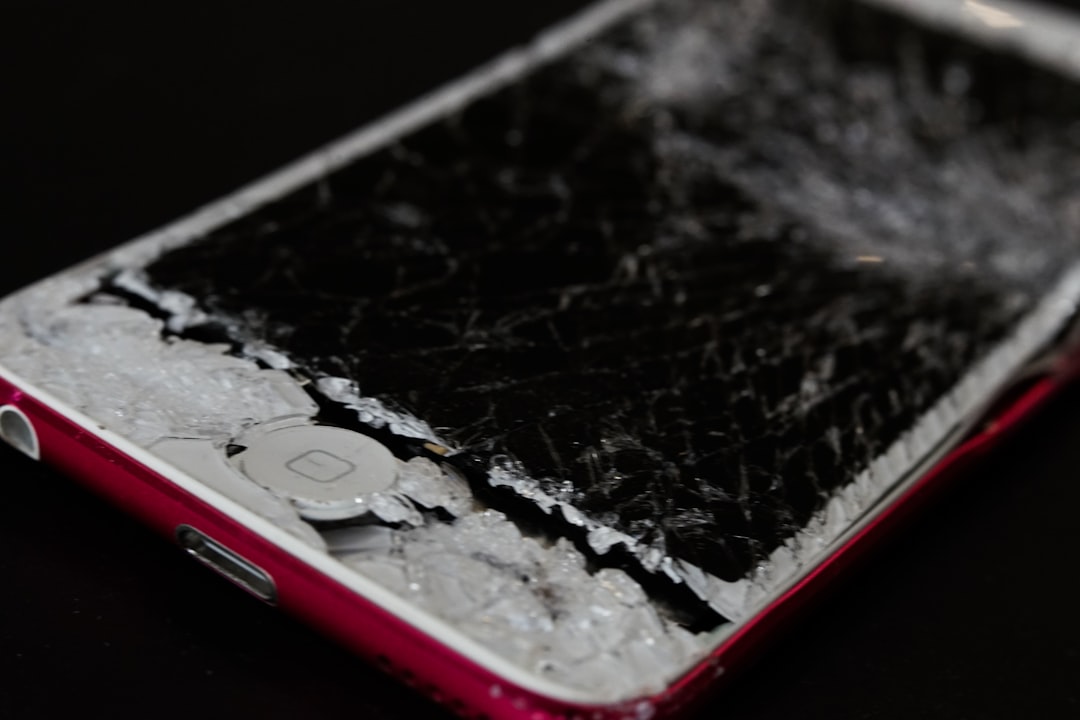
If you’ve ever carried your phone in your pocket or accidentally sat on it, the pressure could leave a permanent mark on the LCD or OLED panel. These pressure points may show up on your screen as white or bright spots, especially against dark backgrounds.
Internal components pressing against the screen, such as a slightly misaligned battery or internal frame pressure, can also cause this effect.
2. Dead or Stuck Pixels
Modern phone screens are made up of millions of tiny pixels, each of which displays color independently. Sometimes, one of these gets “stuck” on a specific color—usually white. Unlike dead pixels, which go black and never light up, stuck pixels might appear as white or bright dots.
This problem is usually limited to a pixel or two and does not spread, but it’s still quite distracting, especially when viewing content with a dark background.
3. Manufacturing Defects
Sometimes, the white spots you see are the result of poor manufacturing quality or defective components. If your phone is relatively new and you start to see bright areas on the screen, it might be due to:
- Poor adhesive distribution between the layers
- Uneven display assembly
- Delamination of the screen layers
Phones under warranty can often be repaired or replaced in these cases at no cost to you.
4. Heat Damage
Continuous exposure to overheating—whether from gaming, excessive charging, or exposure to direct sunlight—can cause LCD pixels to fail or misbehave. Overheated layers in OLED screens may also develop discoloration, leading to white or bright spots that are hard to ignore.
5. Moisture Exposure
If your phone has ever come in contact with water or high humidity—even just a bit—it can affect the display’s internal components. Moisture seeping into the layers of the display might create uneven lighting zones, resulting in persistent or blinking white spots.
6. Screen Burn-In or Image Retention
Particularly common in OLED and AMOLED screens, burn-in occurs when a static image lingers on and damages pixels over time. While this usually results in ghosting or color imbalances, some extreme cases present as white patches due to the overuse and wear of certain pixels.
How to Diagnose the Problem
Before you consider a repair or replacement, it’s useful to determine the extent of the issue. Here’s how you can do that:
- Visual Exam: Turn the screen to full brightness and observe on a dark background like a black wallpaper or during a video. Note the location, size, and intensity of the white spots.
- Pixel Test Apps: Several apps such as “Dead Pixel Test” or “Screen Check” help isolate display imperfections by cycling through solid color backgrounds.
- Physical Pressure: Gently press around the white spot with your thumb using a soft cloth—if the spot flickers or changes, internal pressure could be the issue.
- Check Warranty: If your device is under warranty and the spots appeared without any physical trauma, it’s time to contact support.
Fixes and Solutions
Thankfully, there are several different approaches to resolving white spot issues depending on the root cause. While some involve basic software or hardware fixes, others require professional intervention.
1. Reset or Restart Your Phone
Not all screen anomalies are hardware-related. Before assuming the worst, perform a normal restart. If the white spots disappear upon reboot, an app or graphical glitch might have caused it.
2. Try Pixel Fix Apps
Apps that flash various colors, such as screen repair tools, can sometimes resolve stuck pixels. The color cycling helps “jog” the affected pixel back into functional alignment.
- Try apps like “Dead Pixel Fix” or “Pixel Repair” from a trusted source
- Let them run for 10–30 minutes and observe any changes
3. Apply Gentle Pressure or Heat
If you suspect internal pressure is the issue, gently pressing on the area while the screen is off might redistribute the internal layers. Be cautious—this can cause more harm if done incorrectly.
Using a hairdryer at low heat for a few seconds from 6–8 inches away may sometimes help ease adhesive distribution in minor delamination cases—but again, proceed with caution.
4. Factory Reset (If Software-Related)
If you believe the issue is software-related due to a graphical glitch or app conflict, a factory reset might resolve persistent irregularities. Always back up your data before proceeding.
5. Seek Professional Repair
For physical damage, internal issues, or if none of the simple steps work, it’s time to take your phone to a trusted repair technician. They can:
- Replace the screen or digitizer
- Re-seat internal components
- Assess possible water or heat damage
Depending on the phone model and extent of the damage, professional repair costs may vary widely—from modest fees to nearly the cost of a new device.
Tips to Prevent White Spots in the Future
Preventing white spots is often easier than dealing with repairs. Here are some best practices to protect your screen:
- Use a sturdy case: One that doesn’t pressure the screen when handled or dropped
- Avoid overheating: Keep your phone out of direct sunlight and unplug it once fully charged
- Stick to original accessories: Cheap chargers or batteries can cause damage to internal components
- Clean gently: Don’t use abrasive materials on your screen
- Don’t keep heavy objects near or on your phone: This avoids pressure-related damage
When to Consider a Replacement
If white spots continue to spread, or if they start affecting touch sensitivity and general usability, it may be time to replace the screen or even the phone. If your device is two or more years old, sometimes a screen replacement may not be a cost-effective option compared to purchasing a new phone.
Final Thoughts
White spots on your phone screen are more than just cosmetic blemishes—they can be signs of wear, damage, or deeper hardware problems. By taking the time to diagnose the issue and weighing your repair vs. replacement options carefully, you can make an informed decision that ensures both cost efficiency and functional quality.
Whether caused by pressure, dead pixels, or hardware defects, white spots are not always a death sentence for your phone. Timely action can prevent further deterioration and possibly extend your device’s lifespan.