
Building an accessible website is not only a legal and ethical responsibility; it is also a practical way to improve usability, search performance, and customer trust. The Web Content Accessibility Guidelines, commonly known as WCAG, provide the most widely recognized framework for making digital content usable by people with disabilities. However, WCAG compliance is not achieved with a single scan. It requires a combination of automated testing, manual review, expert judgment, and ongoing monitoring.
TLDR: The best website accessibility tools for WCAG compliance help identify issues such as missing alt text, poor color contrast, keyboard navigation problems, and incorrect ARIA usage. WAVE, axe DevTools, Google Lighthouse, Accessibility Insights, and Siteimprove Accessibility are five reliable options for different testing needs. Automated tools are valuable, but they should be used alongside manual testing and assistive technology checks for a complete accessibility program.

Why Accessibility Tools Matter for WCAG Compliance
WCAG is organized around four core principles: content must be perceivable, operable, understandable, and robust. In practical terms, this means users should be able to read content, navigate with a keyboard, understand interface behavior, and use the website with assistive technologies such as screen readers.
Accessibility tools help teams detect many common barriers before they affect users. They can identify missing form labels, insufficient color contrast, empty buttons, skipped heading levels, and improper semantic structure. Still, even the best tools cannot determine every accessibility issue. For example, a scanner may confirm that an image has alternative text, but it cannot always judge whether that text is meaningful. For that reason, the strongest approach combines automated scans with manual review and user-centered testing.
1. WAVE
WAVE, developed by WebAIM, is one of the most respected and widely used accessibility evaluation tools. It is especially helpful for content teams, designers, developers, and site owners who need a clear visual overview of accessibility issues on a web page.
WAVE displays icons and indicators directly on the page being tested, making it easier to understand where problems occur. It highlights errors, alerts, structural elements, contrast issues, ARIA usage, and heading organization. This visual feedback is particularly useful for teams that are still learning how accessibility problems appear in real interfaces.
Best for: quick page-level audits, editorial reviews, and visual inspection of accessibility barriers.
- Strengths: easy to understand, highly visual, useful educational explanations.
- Limitations: page-by-page testing can be time-consuming for large websites.
- WCAG value: strong for identifying common perceivable and structural issues.
2. axe DevTools
axe DevTools by Deque is a professional-grade accessibility testing solution that integrates directly into browser developer tools. It is widely trusted by development teams because it provides precise issue descriptions, severity ratings, and guidance for remediation.
One of the biggest advantages of axe DevTools is its developer-friendly workflow. Engineers can test pages while building them, inspect the relevant HTML, and fix many issues before code reaches production. The tool is also well known for minimizing false positives, which helps teams focus on issues that are more likely to represent real accessibility barriers.
Best for: developers, quality assurance teams, and organizations incorporating accessibility into software development lifecycles.
- Strengths: accurate automated checks, clear remediation guidance, strong integration with development workflows.
- Limitations: some advanced features require a paid plan.
- WCAG value: excellent for detecting code-level accessibility defects and ARIA problems.
3. Google Lighthouse
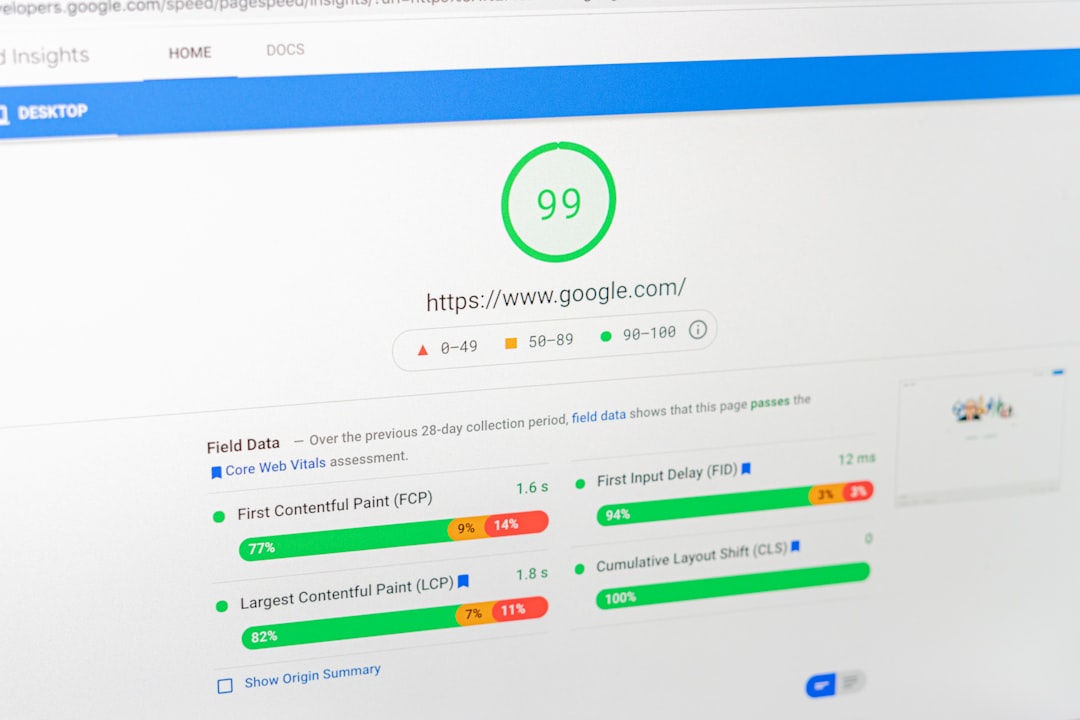
Google Lighthouse is built into Chrome DevTools and provides audits for performance, SEO, best practices, and accessibility. Its accessibility score gives teams a fast snapshot of issues that may affect WCAG alignment.
Lighthouse is particularly useful because it is accessible to nearly anyone using the Chrome browser. It checks for problems such as missing accessible names, low contrast, invalid ARIA attributes, missing labels, and elements that are not properly structured. While its accessibility audit is not as comprehensive as specialized enterprise tools, it is a practical first step for routine checks.
Teams should be careful not to treat a high Lighthouse score as proof of full WCAG compliance. The score reflects only the automated checks Lighthouse can perform. A website can achieve a strong score and still fail manual criteria related to keyboard navigation, focus order, content clarity, or screen reader experience.
Best for: quick accessibility snapshots, early-stage testing, and teams already using Chrome DevTools.
- Strengths: free, easy to access, useful for broad quality audits.
- Limitations: limited coverage compared with dedicated accessibility platforms.
- WCAG value: helpful for routine checks but not sufficient as a standalone compliance method.
4. Accessibility Insights
Accessibility Insights, created by Microsoft, supports both automated checks and guided manual testing. This makes it especially valuable because many WCAG success criteria cannot be reliably validated by automation alone.
The tool offers a fast automated scan, but its more important feature is the structured assessment workflow. It guides testers through checks for keyboard access, focus behavior, landmarks, headings, forms, images, and interactive components. This helps teams develop a repeatable accessibility testing process rather than relying only on ad hoc reviews.
Best for: teams seeking a balance between automated scans and organized manual evaluation.
- Strengths: strong manual testing guidance, free to use, suitable for process-driven reviews.
- Limitations: requires more time and accessibility knowledge than a simple scanner.
- WCAG value: strong for validating operability and usability criteria that automation may miss.
5. Siteimprove Accessibility
Siteimprove Accessibility is a comprehensive platform designed for organizations that need ongoing accessibility monitoring across large websites. It is commonly used by enterprises, universities, public sector organizations, and companies managing complex digital properties.
The platform scans websites at scale, prioritizes issues, tracks progress, and supports reporting across teams. This is important for organizations where accessibility work involves content editors, developers, compliance officers, and management. Instead of treating accessibility as a one-time project, Siteimprove helps turn it into a continuous governance process.
Its dashboards can be especially helpful for demonstrating accountability and measuring improvement over time. For organizations facing regulatory requirements or formal accessibility policies, that visibility can make the difference between scattered fixes and a sustainable compliance program.
Best for: large organizations, compliance teams, and websites requiring long-term monitoring.
- Strengths: scalable scanning, reporting, prioritization, and governance features.
- Limitations: may be more than small websites need and typically involves a paid subscription.
- WCAG value: strong for ongoing oversight and large-scale issue management.
How to Choose the Right Tool
The right accessibility tool depends on your organization’s size, technical maturity, and compliance responsibilities. A small business may begin with WAVE and Lighthouse, then add periodic manual checks. A development team may rely heavily on axe DevTools and Accessibility Insights. A larger institution may need a centralized platform such as Siteimprove to monitor hundreds or thousands of pages.
When evaluating tools, consider the following factors:
- Coverage: Does the tool test the WCAG criteria most relevant to your website?
- Workflow fit: Can designers, developers, content editors, and QA teams use it effectively?
- Reporting: Does it provide clear evidence of progress and remediation?
- Manual testing support: Does it help identify issues automation cannot confirm?
- Scalability: Can it support your website as it grows?
Final Thoughts
Website accessibility tools are essential for WCAG compliance, but they are not a substitute for responsible design, development, and testing practices. WAVE, axe DevTools, Google Lighthouse, Accessibility Insights, and Siteimprove Accessibility each serve a distinct purpose, from quick visual checks to enterprise-level monitoring.
The most trustworthy accessibility strategy uses multiple tools and recognizes their limits. Automated scans should be treated as a starting point, not a final verdict. To build a genuinely accessible website, organizations should combine these tools with keyboard testing, screen reader review, clear content practices, and regular accessibility training. That approach not only supports WCAG compliance but also creates a better web experience for everyone.