
An effective SEO report PDF does more than display rankings, traffic, and conversions. It translates performance data into a clear business story that clients can understand, discuss, and act on. When an agency or consultant prepares the report with context, visuals, plain language, and next steps, the PDF becomes a decision-making tool instead of a confusing spreadsheet export.
TLDR: A client-friendly SEO report PDF should focus on clarity, business impact, and action. It should highlight the most important metrics, explain what changed, and show what will happen next. The best reports use simple language, visual summaries, and concise recommendations so clients can understand results without needing technical SEO knowledge.
Start With the Client’s Goals
Every helpful SEO report begins with the client’s goals, not with the agency’s data. A local service business may care most about phone calls and map visibility, while an ecommerce brand may focus on organic revenue, product page traffic, and conversion rates. A report that ignores those priorities can feel irrelevant, even when the campaign is performing well.
The report creator should identify the main objectives before choosing metrics. These objectives might include:
- Increasing qualified organic traffic
- Improving keyword visibility for priority services or products
- Generating leads, calls, bookings, or sales
- Improving technical site health
- Growing authority through content and backlinks
When the PDF opens by connecting the work to these goals, clients can immediately understand why the report matters.
Use a Simple Report Structure
A clear structure prevents clients from getting lost. The report should move from the big picture to the details, then end with recommended actions. A strong SEO report PDF often follows this order:
- Executive summary with the most important wins, issues, and next steps
- Goal progress showing how SEO is supporting business objectives
- Traffic performance from organic search
- Keyword movement for important terms
- Conversions and revenue where tracking is available
- Technical SEO health and site improvements
- Content performance and opportunities
- Backlink or authority updates if relevant
- Action plan for the next reporting period
This order helps clients understand the story before reviewing the details. It also keeps the PDF from feeling like a data dump.
Write an Executive Summary in Plain Language
The executive summary is the most important section because many clients will read it first and remember it longest. It should be short, direct, and written in non-technical language. Instead of saying, “Organic sessions increased due to improved SERP visibility across mid-funnel queries,” the report might say, “More people found the website through Google this month, especially when searching for service-related questions.”
A good summary usually includes three elements:
- What improved: for example, organic traffic, rankings, leads, or site health
- What needs attention: such as declining pages, missing content, or technical errors
- What happens next: the planned actions for the coming month
Clients do not need every technical detail at the top. They need to understand whether SEO is moving in the right direction and what the team is doing about it.
Choose Metrics That Clients Can Interpret
SEO platforms can produce dozens of metrics, but not all of them belong in a client-facing PDF. The report should focus on metrics that are tied to visibility, engagement, and business outcomes. Too many numbers can create confusion and reduce trust.
Useful client-facing metrics include:
- Organic traffic: how many visitors arrived from unpaid search
- Organic conversions: how many leads, purchases, forms, or calls came from SEO
- Top landing pages: which pages attracted search visitors
- Keyword rankings: how priority search terms changed
- Click-through rate: how often searchers clicked the site in results
- Technical issues: important errors that may affect crawling, indexing, or user experience
Each metric should include context. A number alone is rarely enough. If traffic rose by 18%, the report should explain what likely caused the improvement and whether the trend is expected to continue.
Turn Data Into a Story
Clients understand stories better than disconnected charts. An SEO report PDF should explain what happened, why it happened, and why it matters. For example, a ranking increase is not just a ranking increase. It may mean that updated content is better matching search intent, that technical fixes helped Google understand the page, or that a competitor lost visibility.
A simple storytelling format works well:
- Observation: “Organic traffic increased by 14% compared with last month.”
- Explanation: “The increase came mainly from three updated service pages.”
- Impact: “Those pages generated nine additional form submissions.”
- Next step: “The same update approach will be applied to related pages.”
This approach helps clients connect SEO activity with business impact. It also shows that the SEO team is not simply reporting numbers, but interpreting them.
Use Visuals Carefully
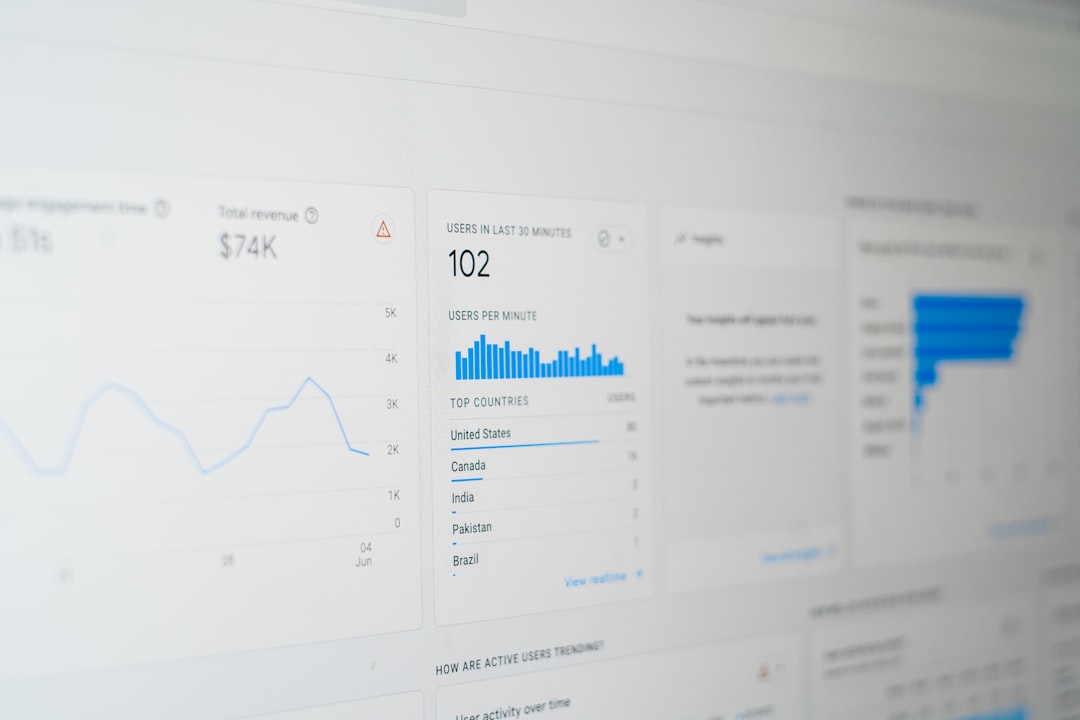
Charts, tables, and screenshots can make a report easier to understand, but only when they are clean and purposeful. Each visual should answer a specific question. A line chart can show traffic trends, a bar chart can compare conversions by month, and a table can summarize top-performing pages.
The report should avoid cluttered dashboards with tiny labels, too many colors, or unexplained abbreviations. Visuals should have short captions that state the main takeaway. For example, a caption might read, “Organic leads increased after the new comparison page began ranking.”

Explain Technical SEO Without Overwhelming the Client
Technical SEO can be difficult for clients to understand, but it should not be removed from the report entirely. Instead, technical updates should be translated into plain business language. The report does not need to list every crawl warning. It should highlight the issues that matter most.
For example, instead of writing, “Resolved canonicalization conflicts across paginated URLs,” the report might say, “Duplicate page signals were cleaned up so search engines can better identify the correct pages to show.” This version is still accurate, but it is much easier for a non-specialist to understand.
Technical sections should focus on severity. A simple format can include:
- High priority: issues that affect indexing, rankings, or conversions
- Medium priority: issues that may limit performance over time
- Low priority: cleanup tasks or minor improvements
Include Recommendations and Next Steps
A client-friendly SEO report PDF should never end with data alone. It should close with a clear action plan. This section helps clients see that the SEO process is active, strategic, and ongoing.
The action plan might include content updates, new page creation, internal linking improvements, technical fixes, local SEO tasks, or conversion rate recommendations. Each next step should explain the expected benefit. For instance, “Create a new FAQ section on the pricing page to target long-tail search queries and reduce sales objections.”

Keep the Design Clean and Consistent
A PDF report should look professional, but design should support readability rather than distract from the message. Consistent headings, spacing, colors, and table styles help clients scan the document quickly. Important results can be highlighted with callout boxes, while detailed tables can be placed later in the report.
The ideal PDF is easy to read on a laptop and simple to print if needed. Large blocks of text should be broken into short paragraphs, bullets, and labeled sections. The best design choice is often restraint: fewer decorative elements, more clarity.
Final Thoughts
An SEO report PDF that clients understand is built around communication, not just measurement. It connects campaign activity to client goals, explains performance in plain language, and provides clear recommendations. When the report is structured well, supported by useful visuals, and focused on business outcomes, it can strengthen trust and make SEO feel more tangible.
FAQ
What should an SEO report PDF include?
An SEO report PDF should include an executive summary, organic traffic data, keyword performance, conversion results, technical SEO updates, content insights, and next steps. The exact sections should match the client’s goals.
How long should an SEO report PDF be?
Most client SEO reports work best when they are concise, usually between 5 and 15 pages. The length depends on campaign complexity, but the report should avoid unnecessary data and focus on clear insights.
How often should clients receive SEO reports?
Monthly reporting is common because SEO changes often need time to show meaningful trends. Some campaigns may also benefit from quarterly strategy summaries or shorter weekly updates.
What makes an SEO report easy for clients to understand?
Plain language, visual summaries, clear explanations, and business-focused recommendations make a report easier to understand. Every metric should answer the question, “Why does this matter?”
Should an SEO report include every keyword ranking?
It is usually better to include priority keywords and meaningful ranking trends rather than every tracked term. Too many keyword rows can distract from the overall performance story.