
Organizations that need to file Affordable Care Act forms often look for a tool that can reduce manual work, validate data, and handle IRS submission without requiring a full payroll system migration. Yearli, a filing platform from Greatland, is frequently considered by small and midsize employers because it supports ACA, W-2, and 1099 reporting in one place.
TLDR: Yearli is a practical ACA reporting option for employers and service providers that need to prepare, e-file, print, and mail Forms 1095-B, 1095-C, 1094-B, and 1094-C. For example, a company with 150 full-time employees could use Yearli to import employee data, run validation checks, and file ACA forms electronically instead of preparing each form manually. Its pricing is generally form-based, making it attractive for lower to moderate filing volumes, while larger employers may want to compare enterprise payroll or benefits platforms before committing.
What Is Yearli?
Yearli is an online tax reporting platform designed to help businesses prepare and file annual compliance forms. It is best known for supporting W-2, 1099, and ACA reporting, with features that cover form preparation, IRS e-filing, recipient delivery, and data validation.
For ACA compliance, Yearli helps applicable large employers, third-party administrators, accountants, and payroll professionals manage the reporting obligations created by the Affordable Care Act. This includes generating employee statements and transmitting required employer forms to the IRS.
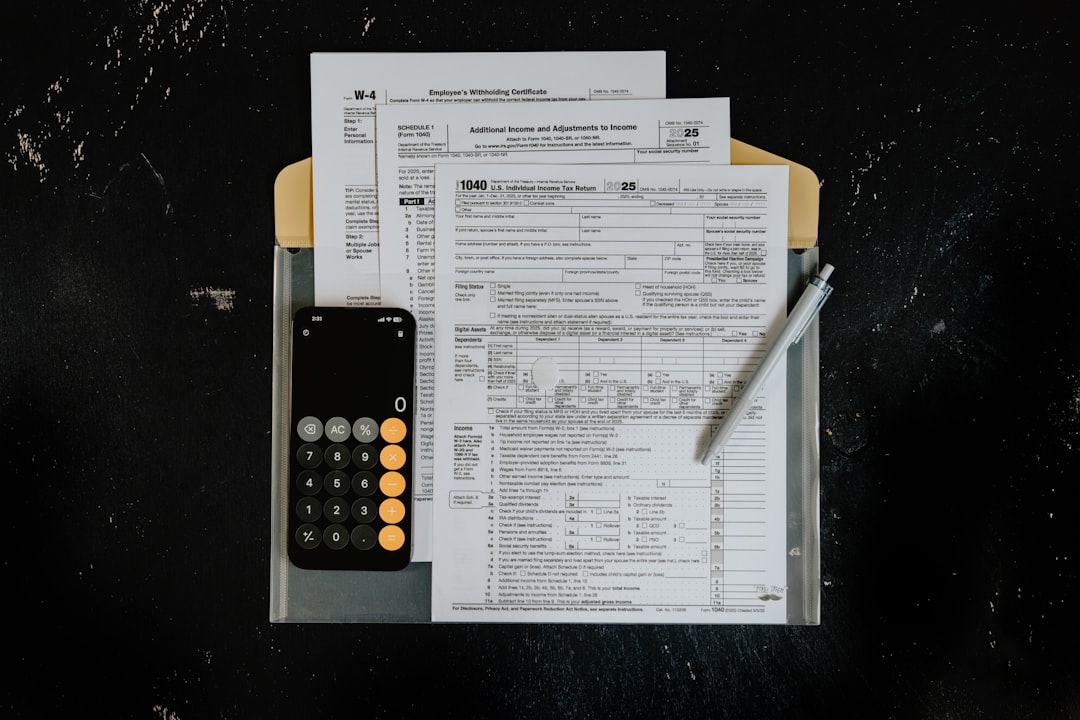
ACA Reporting Features
Yearli’s ACA reporting tools focus on simplifying the filing process for common ACA forms. The platform supports both employer and recipient reporting needs, which makes it useful for companies that want a single workflow from data entry to filing confirmation.
- Supported ACA forms: Yearli supports Forms 1095-B, 1095-C, 1094-B, and 1094-C, which are central to ACA employer reporting.
- Data import: Users can typically import employee and coverage data, helping reduce repetitive entry for larger groups.
- Error checks: The system includes validation tools designed to catch missing or inconsistent information before submission.
- E-filing: Yearli can electronically file ACA forms with the IRS, which is essential for employers subject to electronic filing requirements.
- Print and mail services: Businesses can choose to have recipient copies printed and mailed, saving administrative time during peak filing season.
- Multi-form reporting: Companies already using Yearli for 1099 or W-2 filings may find it convenient to add ACA filing to the same account.
The platform is especially helpful for employers that understand their ACA eligibility and coverage data but need a reliable filing engine. It is less of a full benefits administration system and more of a compliance filing solution.
User Experience and Workflow
Yearli is generally built around a guided filing workflow. A user chooses the form type, enters or imports employer and employee information, reviews forms, corrects errors, and submits them for e-filing or delivery. This structure can be helpful for small HR teams that do not file ACA forms every day.
The interface is designed for compliance tasks rather than broad HR management. That means users should not expect advanced workforce analytics, benefits enrollment tools, or payroll automation. However, for annual ACA reporting, a focused interface can be an advantage because it keeps the process relatively straightforward.
In practice, Yearli is best suited for teams that already have accurate payroll, benefits, and employee eligibility data available before the filing process begins.
Pricing Overview
Yearli pricing is commonly structured around the number and type of forms filed, with costs varying depending on whether the user chooses e-filing, recipient mailing, or other delivery services. ACA forms are typically priced on a per-form basis, and volume may affect the total cost.
Because pricing can change from year to year, businesses should confirm current rates directly on Yearli’s website before purchasing. However, the general model is simple: the more forms a company files and the more services it adds, such as printing and mailing, the higher the total cost.
- Best for: Small and midsize employers with predictable annual filing needs.
- Potential cost advantage: Companies that only need ACA filing may avoid paying for a larger HR suite.
- Possible drawback: High-volume filers may find per-form pricing more expensive than a bundled enterprise solution.
For example, an employer filing 80 Forms 1095-C may pay based on each form submitted, plus any additional recipient delivery options. An employer filing thousands of forms should compare Yearli’s total filing cost against bulk ACA reporting vendors or payroll providers.

Pros and Cons of Yearli
Pros
- Focused ACA filing: The platform supports the core forms employers need for ACA compliance.
- Convenient delivery options: E-filing, printing, and mailing can be managed from one place.
- Useful for multiple tax forms: Businesses can also manage W-2 and 1099 reporting.
- Good fit for seasonal compliance: Employers that only need annual filing support may not need a larger system.
Cons
- Not a complete HR platform: It does not replace payroll, benefits enrollment, or workforce management software.
- Pricing depends on volume: Per-form costs can add up for large employers.
- Data accuracy still matters: Yearli can help validate forms, but it cannot fix inaccurate eligibility or coverage records from source systems.
Best Use Cases
Yearli is a strong choice for employers that need a dedicated filing platform rather than a complete benefits system. It also fits accountants, bookkeepers, and payroll service providers that prepare forms for multiple clients.
A typical use case might involve a midsize company with 120 full-time employees and a small HR department. The company tracks coverage information in a benefits platform and payroll data in separate software. At year-end, the HR manager exports the required data, imports it into Yearli, reviews the 1095-C forms, and chooses e-filing plus recipient mailing.
This type of workflow can save time compared with manual form preparation, especially when dozens or hundreds of employee statements need to be distributed before the deadline.
Top Yearli Alternatives
Yearli is not the only ACA reporting solution available. The best alternative depends on whether the organization wants a filing-only tool, a payroll-connected system, or a broader benefits administration platform.
- ACAwise: A dedicated ACA reporting tool with e-filing and postal mailing options. It may appeal to employers looking specifically for ACA compliance support.
- Tax1099: Known for 1099 reporting but also useful for businesses that want cloud-based tax form filing and compliance workflows.
- Track1099: A straightforward filing platform often used by small businesses and accounting firms for year-end tax forms.
- Nelco: Offers tax form filing and compliance services, including ACA-related solutions for employers and service providers.
- Greenshades: A broader payroll tax and compliance platform that may be better for businesses wanting more integrated employer reporting.
- ADP, Paychex, and Paylocity: Payroll providers with ACA reporting features, often best for companies already using their payroll or HR systems.

Final Verdict
Yearli is a reliable option for businesses that need a focused ACA reporting solution without adopting a full HR or payroll suite. Its strongest value comes from supporting key ACA forms, IRS e-filing, error checking, and recipient delivery in a single workflow.
It is not the most advanced choice for organizations that need end-to-end benefits administration or real-time ACA eligibility tracking. However, for employers and tax professionals that already have clean employee data and simply need to file accurately, Yearli remains a practical and efficient choice.
FAQ
What ACA forms does Yearli support?
Yearli supports common ACA reporting forms, including 1095-B, 1095-C, 1094-B, and 1094-C.
Is Yearli good for small businesses?
Yes. Yearli can work well for small and midsize employers that need annual ACA filing support without purchasing a larger HR system.
Does Yearli e-file ACA forms with the IRS?
Yes. Yearli offers ACA e-filing services, allowing employers to submit required forms electronically to the IRS.
Can Yearli mail employee copies?
Yes. Yearli typically offers print and mail services for recipient copies, which can reduce administrative workload during filing season.
How is Yearli priced?
Yearli is generally priced per form, with total cost depending on form volume and selected services such as e-filing, printing, and mailing. Users should check current pricing before filing.
Who should consider a Yearli alternative?
Large employers, companies needing full benefits administration, or businesses already using a payroll provider with ACA reporting may want to compare alternatives before choosing Yearli.