
A medical dictation app turns spoken clinical notes into usable text, so clinicians can spend less time typing and more time with patients. It listens, converts speech to words, and helps push those notes into the chart.
TLDR: A medical dictation app works like a supercharged voice recorder with medical vocabulary built in. A doctor can say, “Patient reports chest pain for two days”, and the app turns it into a clean note. In many clinics, speech input can cut documentation time by 30% to 50%, especially for repeat note types. The best apps are accurate, secure, mobile friendly, and easy to connect with an EHR.
What Is a Medical Dictation App?
A medical dictation app is a tool that turns a clinician’s voice into text. Simple idea. Big impact.
Instead of typing every symptom, exam finding, and care plan, a provider speaks into a phone, tablet, laptop, or workstation. The app listens. Then it creates text that can be reviewed, edited, signed, and saved.
It is not just a normal voice note app. That would be chaos. Try saying “metoprolol succinate” into a regular app and watch it panic. Medical dictation software is trained to understand clinical terms, drug names, anatomy, procedures, and acronyms.
How Medical Dictation Apps Work
The process is simple on the surface.
- The clinician speaks. This may happen during or after the patient visit.
- The app records audio. Some apps process speech live. Others process it after recording.
- Voice recognition converts speech to text. The system matches sounds to words.
- Medical language models clean up the result. These models know common clinical phrases.
- The clinician reviews the note. This step still matters. A lot.
- The note moves into the medical record. It may copy over, sync, or connect through an EHR interface.
Behind the scenes, the app uses automatic speech recognition. It breaks speech into tiny sound pieces. Then it guesses which words fit best. It also uses context. If you say “history of asthma”, the app should not write “history of aster”. That would be weird. Also useless.
Modern tools may use AI to format notes. For example, a messy spoken summary can become a SOAP note with sections for Subjective, Objective, Assessment, and Plan.
Key Features That Actually Matter
Some apps look shiny but feel painful after five minutes. Honestly, it feels like some tools were built by people who have never watched a busy clinic run late. The best medical dictation apps focus on real work.
- Medical vocabulary: It should understand drug names, diagnoses, lab terms, and procedures.
- Templates: SOAP notes, consult notes, discharge summaries, progress notes, and referral letters.
- Custom phrases: Clinicians should save common sentences and shortcuts.
- Real time dictation: Text appears as the clinician speaks.
- Offline recording: Useful in hospitals with weak Wi Fi spots.
- EHR integration: Notes should enter the chart without endless copying and pasting.
- Speaker profiles: The app learns a user’s voice, accent, pace, and wording.
- Easy editing: Voice commands like “new paragraph” or “delete last sentence” save time.
- Mobile access: Phones and tablets matter, especially on rounds.
Expect to waste time on tools that hide basic controls. If it takes 12 extra seconds to start a note, that adds up fast. Multiply that by 25 patients. Now everyone is annoyed.
Voice Recognition Accuracy
Accuracy is the big question. Can the app really understand a clinician?
The answer is: yes, but not perfectly.
A strong medical dictation app may reach very high accuracy in quiet rooms with clear speech. Some vendors report accuracy rates above 95%. Real life is messier. Clinics have coughing, keyboards, alarms, rolling carts, family members, and bad microphones.
Accuracy depends on several things:
- Audio quality: A good microphone helps a lot.
- Room noise: Less noise means fewer mistakes.
- Accent and speech speed: Better apps learn over time.
- Medical specialty: Cardiology, oncology, and orthopedics use very different words.
- Training data: The app must know real clinical language.
- User habits: Clear phrases beat rushed mumbling.
Small errors can be funny. They can also be risky. “No chest pain” must not become “chest pain”. That is why human review is still part of safe documentation.
Clinical Documentation Without the Typing Marathon
Clinicians do not go to school for years to become professional typists. Yet many spend hours feeding the chart monster.
Medical dictation apps help with:
- Patient histories
- Physical exam findings
- Assessment and plan notes
- Operative reports
- Discharge summaries
- Referral letters
- Radiology or pathology reports
Some apps can also turn a patient conversation into a draft note. This is often called ambient clinical documentation. The app listens in the room, separates speakers, identifies key clinical facts, and drafts a note.
That sounds magical. Still, it needs review. The app may miss context. It may include something the patient said casually. It may format a plan in a way the clinician does not like.
The best workflow is simple: talk, review, edit, approve. No drama.
Security and Privacy
Medical dictation apps handle sensitive health data. So security is not optional. It is the lock on the medicine cabinet.
A good app should include:
- Encryption in transit: Data is protected while moving between the device and server.
- Encryption at rest: Stored files and text are protected too.
- User authentication: Passwords, biometrics, or single sign on.
- Role based access: Users only see what they are allowed to see.
- Audit logs: The system records who accessed or changed data.
- HIPAA support: In the United States, this is a major requirement.
- Data retention controls: Clinics should control how long audio is stored.
Clinics should ask direct questions. Where is the data stored? Is audio kept after transcription? Can the vendor use recordings to train models? Who can access the files?
If the answer sounds vague, be careful. Vague is not a security policy.
Mobile Healthcare Workflows
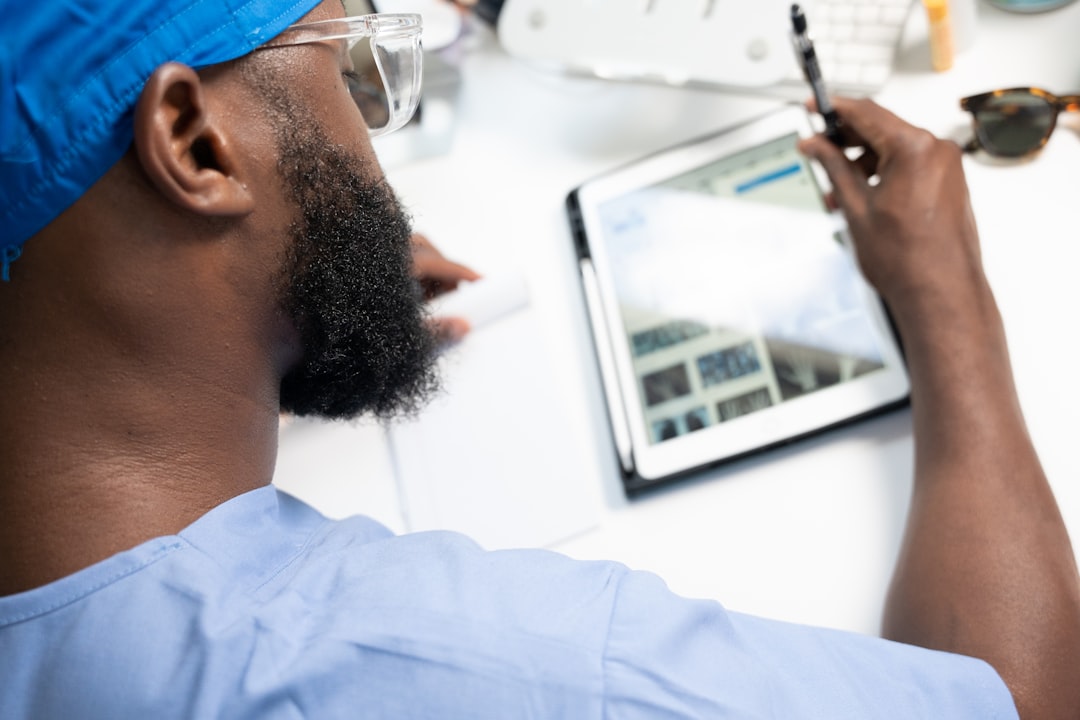
Mobile dictation is where these apps get fun. A doctor can dictate between visits. A nurse can add a note at the bedside. A specialist can finish a consult before leaving the ward.
Common mobile workflows include:
- Hospital rounds: Dictate updates right after seeing the patient.
- Home health visits: Record notes in the patient’s home, then sync later.
- Emergency care: Capture details quickly while timing still matters.
- Telehealth: Create visit notes after video calls.
- Specialist consults: Dictate findings before the next case starts.
The best mobile apps are fast. Tap once. Speak. Review. Send. That is the dream.
Battery use matters too. So does offline mode. So does screen size. A tiny edit box on a phone can make a calm person question every life choice.
What to Check Before Choosing One
Before picking a medical dictation app, test it with real users. Not just one demo sentence. Use real clinic noise. Use real patient types. Use real specialty terms.
- Try 20 common notes. Count corrections.
- Test hard drug names. Include brand and generic names.
- Check EHR fit. Fewer clicks are better.
- Review security terms. Ask about audio storage.
- Measure time saved. Compare typing versus dictation.
- Ask clinicians if they like it. If they hate it, adoption will sink.
The Bottom Line
A medical dictation app can make clinical documentation faster, cleaner, and less painful. It works best when voice recognition is strong, editing is easy, and security is serious.
It will not fix every charting problem. It will not replace clinical judgment. But it can remove a lot of typing. And that is a win for clinicians, patients, and tired fingers everywhere.