
Network tunneling is a way to carry one kind of network traffic inside another, usually so data can cross a network that would not normally understand, allow, or safely transport it. Think of it as putting a smaller packet inside a larger shipping box. The outer box gets routed across the internet or a private network, while the original packet stays tucked inside until it reaches the other end.
TLDR: Network tunneling wraps traffic inside another protocol so it can move across networks securely, privately, or more flexibly. A VPN is one common type of tunnel, but not every tunnel is a VPN; GRE, IPsec, WireGuard, and modern secure overlays all use tunneling in different ways. For example, a 200-person company might cut branch connectivity costs by 30% by replacing leased lines with encrypted tunnels over broadband. The best choice depends on whether you need encryption, routing flexibility, app-level access, or simple site-to-site transport.
What network tunneling actually does
A network tunnel creates a virtual path between two points. The two endpoints agree to wrap, send, receive, and unwrap traffic. Devices in the middle usually see only the outer packet. They do not need to understand what is inside.
This is useful because networks often block, filter, or fail to route certain traffic. A tunnel can carry private IP traffic across the public internet. It can connect two offices. It can help remote workers reach internal apps. It can also carry IPv6 traffic over an IPv4 network, or multicast traffic through systems that do not support multicast.
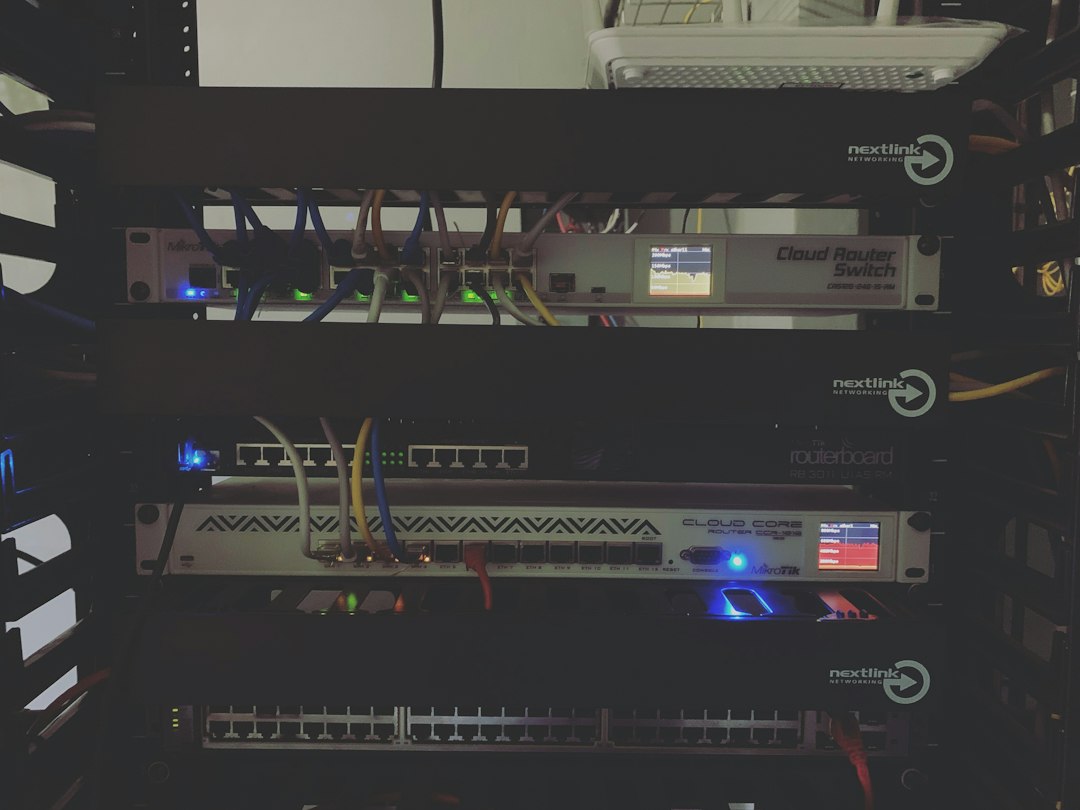
At the packet level, tunneling uses encapsulation. The original packet becomes the payload of a new packet. The outer header handles delivery across the transport network. When the packet reaches the far endpoint, the outer layer is removed and the original traffic continues.
Network tunneling vs VPN
A VPN, or virtual private network, is probably the best-known form of tunneling. It creates a private path across an untrusted network, usually the internet. Most VPNs also encrypt traffic, authenticate users or devices, and control access.
Here is the key distinction:
- Tunneling is the technique of wrapping traffic inside other traffic.
- VPN is a use case and product category that often uses tunneling plus encryption and identity checks.
So, all VPNs use some kind of tunnel, but not all tunnels are VPNs. A GRE tunnel, for example, can carry traffic without encryption. That may be fine inside a provider network, but it is risky over the open internet unless paired with IPsec or another security layer.
Honestly, it feels like many product pages blur this on purpose. They call every encrypted connection a “VPN” and every private link a “secure tunnel.” Then engineers spend 20 extra minutes in meetings just agreeing on what the vendor actually means.
Common tunneling protocols
Different tunneling protocols solve different problems. Some focus on routing. Some focus on security. Some focus on speed and simplicity.
- GRE: Generic Routing Encapsulation is simple and flexible. It can carry many Layer 3 protocols and supports routing features well. By itself, it does not encrypt traffic.
- IPsec: Built for secure IP communication. It can encrypt and authenticate traffic between sites, users, or devices. It is widely supported but can be painful to configure.
- SSL or TLS VPN: Often used for remote access through a browser or lightweight client. It fits user access better than raw network extension.
- WireGuard: A modern VPN protocol known for lean code, fast handshakes, and strong cryptography. It is popular for both personal and business use.
- VXLAN: Common in data centers. It extends Layer 2 networks over Layer 3 infrastructure and is often used with virtualization platforms.
- SSH tunneling: Useful for forwarding ports securely. Developers use it often, sometimes as a quick fix that quietly becomes permanent.
GRE: useful, but not secure on its own
GRE is a classic tunnel type because it is versatile. It can carry private IP ranges, routing protocols such as OSPF or EIGRP, and multicast traffic. That makes it handy for connecting routers across a network that does not support those features directly.
The catch is that GRE is not encryption. Anyone who can inspect the path may read the traffic unless another layer protects it. That is why many designs use GRE over IPsec. GRE handles the routing flexibility. IPsec handles encryption and authentication.
GRE also adds overhead. Extra headers mean packets get larger. If the path MTU is not tuned, users may see weird slowdowns, broken apps, or stalled transfers. Expect to waste time on this if ICMP is blocked somewhere, because path MTU discovery will fail in the most annoying way possible.
Image not found in postmetaWhy tunneling matters for security
Tunneling can improve security, but only when paired with the right controls. Encapsulation alone is not privacy. Encryption is what protects confidentiality. Authentication proves which user, device, or site is on the other side.
A secure tunnel should usually include:
- Encryption to prevent readable traffic capture.
- Authentication to verify users, devices, or gateways.
- Access rules to limit what the tunnel can reach.
- Logging to record sessions, failures, and suspicious use.
- Key rotation to reduce risk after credential exposure.
Old-style VPNs often granted broad network access once connected. That model is fading. If one laptop gets infected, the tunnel may become a highway into internal systems. Secure overlays and zero trust access tools try to shrink that blast radius.
Secure overlay alternatives
A secure overlay builds a protected network on top of existing internet links. It may use tunnels under the hood, but the user experience and control model are different from a traditional VPN.
Popular alternatives include:
- Zero Trust Network Access: Users connect only to approved apps, not the full network. Access depends on identity, device health, location, and policy.
- SD WAN: Branches use multiple internet links with policy-based routing, encryption, and traffic steering. This can replace or reduce MPLS use.
- Mesh VPN: Devices form direct encrypted links where possible. This reduces backhaul and improves performance for distributed teams.
- Cloud private access: A broker or connector links users to private apps without exposing those apps to the public internet.
These tools are attractive because they match how people work now. Apps live in cloud platforms, offices, home networks, and SaaS systems. Sending all traffic through one central VPN gateway can add latency and create a single choke point.

When to use each option
The right tunnel depends on what you are trying to move, who needs access, and how much trust you can allow.
- Use GRE when you need routing flexibility, multicast support, or protocol transport between routers. Add IPsec when traffic crosses untrusted networks.
- Use IPsec VPN for stable site-to-site security between offices, data centers, or cloud networks.
- Use WireGuard when you want a lighter VPN with strong performance and simpler configuration.
- Use SSL VPN for user remote access, especially when browser-based access is useful.
- Use ZTNA or secure overlay tools when users need specific apps instead of full network reach.
- Use SD WAN when branch connectivity, path selection, and cost control matter as much as encryption.
Performance and overhead
Tunnels add headers. Encryption adds CPU work. Routing through a faraway gateway adds latency. None of this is automatically bad, but it must be planned.
For example, an encrypted tunnel may add 40 to 80 bytes of overhead per packet, depending on the protocol. On a clean fiber link, that may barely matter. On a poor broadband link with small MTU settings, it can break applications in strange ways. Voice and video are especially sensitive. A 30 millisecond latency bump may be fine for file sync but annoying on calls.
Good tunnel design checks MTU, latency, packet loss, failover, DNS behavior, and split tunneling rules. Split tunneling can improve speed by sending only private traffic through the tunnel while normal internet traffic goes direct. Some security teams dislike it. Some users love it because video meetings stop stuttering.
Final practical guidance
Do not pick a tunneling method by name alone. Pick it by outcome. If you need encrypted site links, IPsec is a safe default. If you need routing tricks, GRE plus IPsec still has a place. If you need fast remote access with clean setup, WireGuard is hard to ignore. If you need tight app-level control, secure overlays and zero trust access are usually a better fit than a broad VPN.
The main idea is simple: tunneling creates the path, security controls decide whether that path is safe, and policy decides who can use it. Get those three parts right, and tunnels become powerful. Get them wrong, and you may just build a private road for problems to travel faster.