
Use a physical SIM card for banking, long-term accounts, and identity-sensitive services; use a private virtual phone number for testing, travel, signups, and workflow automation. SMS is still widely used for one-time passwords, but phone numbers are not perfect security tools. The risk is real: the FBI reported 1,611 SIM swapping complaints with adjusted losses of more than $68 million in 2021 [source: FBI]. That does not mean SMS is useless. It means the type of number matters.
TLDR: Virtual phone numbers are fast, cheap, and useful when you need to receive SMS online without carrying another device. Physical SIM cards are slower to set up, but they are usually more trusted by banks, payment apps, and government portals. For example, a QA team testing 40 account flows may save hours by renting 40 private virtual numbers instead of buying 40 SIM cards. For your main bank account, though, a real SIM tied to your name is still the safer bet.
What “receive SMS online” really means
Receiving SMS online means reading text messages through a web dashboard, app, API, email forwarder, or cloud inbox instead of opening the Messages app on a phone. The number may be virtual, VoIP-based, carrier-hosted, or connected to a real SIM in a device somewhere.
That sounds simple. It is not always simple. Some websites reject certain online numbers. Some SMS providers recycle numbers too quickly. Some services show incoming codes to anyone, which is a privacy disaster. Honestly, it feels like half the market is built for speed, while the other half is built for trust. You rarely get both at the lowest price.
Virtual phone numbers: fast access, lower friction
A virtual phone number is a number that can receive calls or texts without being tied to a SIM card in your hand. You usually access messages through a provider dashboard or API. Some are temporary. Some are private and rented monthly. Some are VoIP numbers. Others are mobile numbers operated through carrier connections.
Best uses for virtual numbers:
- App testing: Developers can test SMS verification in many regions.
- Short-term signups: Useful for trials, demos, and low-risk accounts.
- Customer support: Teams can route SMS replies to shared inboxes.
- Travel: You can receive messages without swapping a local SIM.
- Automation: APIs can collect codes and status messages at scale.
The main advantage is speed. You can often get a number in minutes. No postal delivery. No plastic card. No second phone. For businesses, that is the point. A support team can assign numbers by country, campaign, or product line. A test engineer can request numbers on demand and discard them after the test run.
The cost is also attractive. A temporary number may cost a few cents per message. A private monthly number may cost a few dollars, depending on country and type. That beats buying phones, chargers, and SIM plans for every use case.
The serious problem with virtual numbers
Many platforms do not treat all numbers equally. Banks, crypto exchanges, social networks, and payment apps often block VoIP or known virtual number ranges. They do this because fraud teams see abuse from disposable numbers. You might get the SMS for one site and fail on another site five minutes later. It drives me crazy that some providers advertise “works everywhere” when they know that is not true.
Public receive-SMS websites are the worst option for anything personal. These sites publish incoming messages on a public page. If your login code appears there, anyone can see it. Do not use public inboxes for email accounts, banking, social media, shopping, health portals, or business tools.
Safer virtual number choices include:
- Private numbers: Only your account can view the messages.
- Long-term rentals: Better for accounts you may need to recover later.
- Mobile numbers: More accepted than many VoIP numbers.
- Providers with clear retention rules: You should know when messages and numbers are deleted.
- API logs with access controls: Useful for teams, but only if permissions are strict.
Physical SIM cards: slower, but more trusted
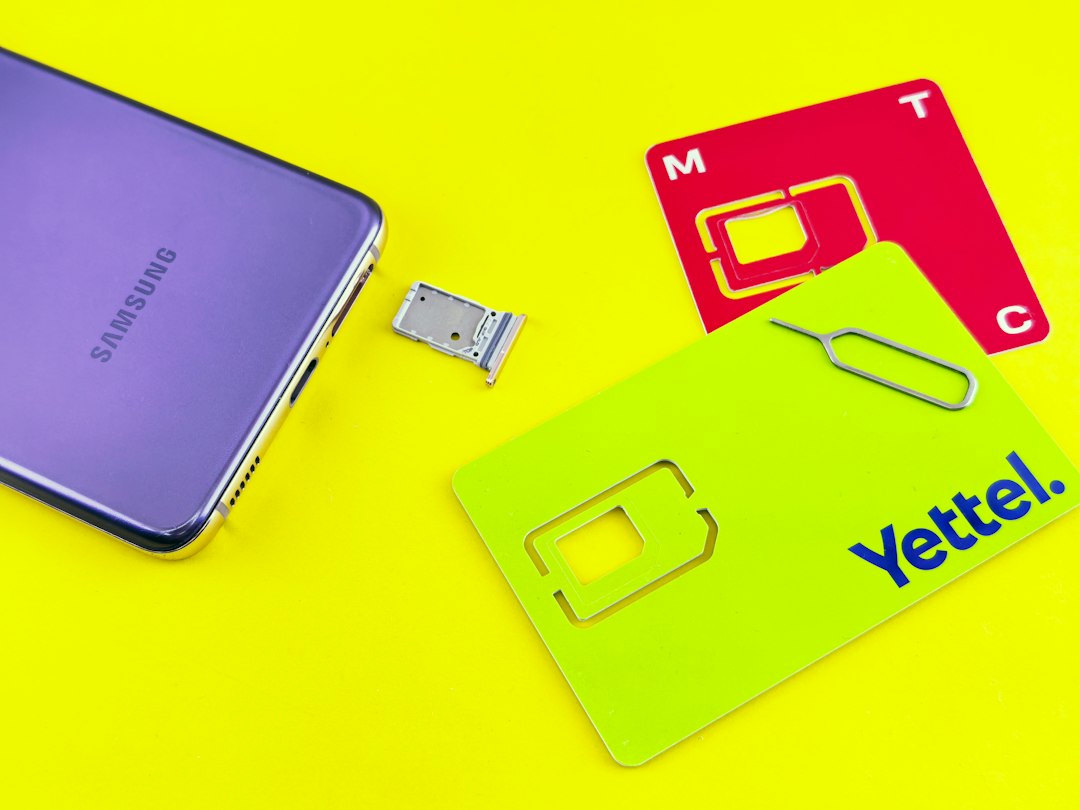
A physical SIM card is a chip issued by a mobile carrier. It connects a phone number to a mobile network subscription. Many services see physical mobile numbers as more reliable because they are harder to create in bulk than cheap virtual numbers.
Best uses for physical SIM cards:
- Banking and payment apps
- Government services
- Primary email recovery
- Long-term social media accounts
- Business owner accounts and admin logins
A physical SIM gives you continuity. If you keep paying for the plan, the number stays yours. That matters when an account asks for the same number six months later. It also reduces the chance that your old number gets reassigned to a stranger who can receive recovery messages.
The downsides are obvious. You need a device. You may need identity registration, depending on the country. Roaming can be expensive. Managing 20 SIM cards is a mess. Expect to waste time labeling cards, charging phones, and checking which device received which code. For one person, it is manageable. For a company, it becomes clumsy fast.
Security: neither option is perfect
SMS is convenient, but it is not the strongest form of authentication. A criminal may try SIM swapping, phishing, malware, or account recovery tricks. The U.S. Federal Trade Commission has warned consumers about SIM swap scams and recommends extra account protections where available [source: FTC].
Use SMS as one layer, not the whole defense. If a service supports an authenticator app, hardware security key, or passkey, use that for high-value accounts. Keep SMS as backup only when possible.
Basic rules:
- Never use public SMS inboxes for private accounts.
- Do not share one number across too many critical services.
- Keep recovery email and phone records current.
- Use a PIN or port freeze with your mobile carrier if available.
- For teams, restrict who can view SMS logs.
Privacy and compliance issues
Phone numbers are personal data in many contexts. If your business receives customer messages, you may need consent records, secure storage, and deletion policies. A shared inbox is useful, but it can also expose codes, names, and account details to too many staff members.
Pick providers that explain how they store messages. Look for role-based access, audit logs, data export, and clear deletion settings. If the provider cannot explain who can access your messages, that is a bad sign.
Cost comparison
Virtual numbers usually win on short-term cost. They are ideal when you need numbers for hours, days, or specific campaigns. Physical SIMs can cost more upfront because of activation fees, monthly plans, and hardware. Yet they may be cheaper over time for one stable personal number.
A simple rule works well: if losing the number would lock you out of something valuable, use a physical SIM or a long-term private mobile number. If the account is temporary or low risk, a virtual number is usually fine.
Which option should you choose?
Choose a virtual phone number if you care about speed, scale, and remote access. It is the practical option for testing, marketing, support workflows, and short-term verification. Choose a physical SIM card if you care about trust, account recovery, and long-term control.
The best setup is often mixed. Use one physical SIM for your most sensitive personal accounts. Use private virtual numbers for business workflows and non-critical signups. Avoid public SMS pages except for throwaway tests where no personal data is involved.
Receiving SMS online can be safe and efficient, but only when the number matches the risk. Treat every SMS inbox like a key. If that key opens something valuable, do not leave it on a public table.