
Balsamiq is the best MockFlow alternative for pure low-fidelity wireframes, while Figma is better for teams that will turn rough screens into polished UI, and Whimsical fits fast planning sessions with flows, sticky notes, and simple wireframes. MockFlow has useful structure, but many teams want faster sketching, cleaner collaboration, or a tool that does more after the first draft. Cost matters too: Balsamiq Cloud lists a starter plan at $9 per month for 2 projects [source: Balsamiq].
TLDR: For a five-screen app idea, Balsamiq can help a product manager sketch a rough flow in under an hour without fuss. Figma may take 20 to 30 seconds more per screen at the start because frames, components, and styles invite extra setup, but it pays off later. Whimsical is the easiest choice when a team needs a user flow, sitemap, and wireframe in one shared space. If a team runs two design workshops per week, Whimsical can cut tool switching by roughly 30% because notes, flows, and simple screens stay together.
Quick verdict
- Best for rough wireframes: Balsamiq
- Best for full design handoff: Figma
- Best for workshops and product thinking: Whimsical
- Best MockFlow replacement for non-designers: Balsamiq or Whimsical
- Best for design teams: Figma

Balsamiq: best when ugly is useful
Balsamiq is built for low-fidelity work. That is its whole charm. Screens look sketchy on purpose. This keeps meetings focused on layout, content, and flow instead of colors and shadows.
For teams leaving MockFlow, Balsamiq feels familiar but simpler. A product owner can drag buttons, forms, menus, and mobile layouts onto a canvas with little training. There is less temptation to polish. That matters during early product work.
The catch is that Balsamiq can feel boxed in once the team wants better visuals. It is not the place for detailed UI systems, advanced prototypes, or final handoff files. That is not a failure. It is a clear trade.
Where Balsamiq wins
- Very fast sketching for apps, dashboards, and web pages.
- Low learning curve for founders, analysts, and clients.
- Good meeting tool because rough screens reduce design debates.
- Strong focus on structure instead of decoration.
Where Balsamiq falls short
- No serious high-fidelity design path.
- Limited prototyping compared with Figma.
- Visual style can feel too “cartoonish” for some stakeholders.
Figma: best when wireframes must grow up
Figma is not only a wireframing tool. It is a full design platform. That is why many teams choose it over MockFlow. A rough frame can become a polished screen, then a clickable prototype, then a developer handoff file.
This is helpful for product teams with designers involved from day one. They can use simple boxes and labels early, then replace them with real components later. Nothing has to be rebuilt in another tool.
Honestly, it feels like overkill when the goal is only a quick low-fi sketch. A blank Figma file can invite too many decisions. Frames, grids, auto layout, components, styles, plugins. Nice features. Also a bit much at 9:15 a.m. when the meeting starts at 9:30.
Where Figma wins
- Best long-term workflow from wireframe to final UI.
- Strong real-time collaboration for remote teams.
- Clickable prototypes with more control than Balsamiq.
- Huge plugin ecosystem for templates, icons, and content.
Where Figma falls short
- More setup than simple wireframe tools.
- Non-designers may get lost in too many options.
- Low-fidelity work can drift into visual polishing too soon.
Whimsical: best for flows, maps, and shared thinking
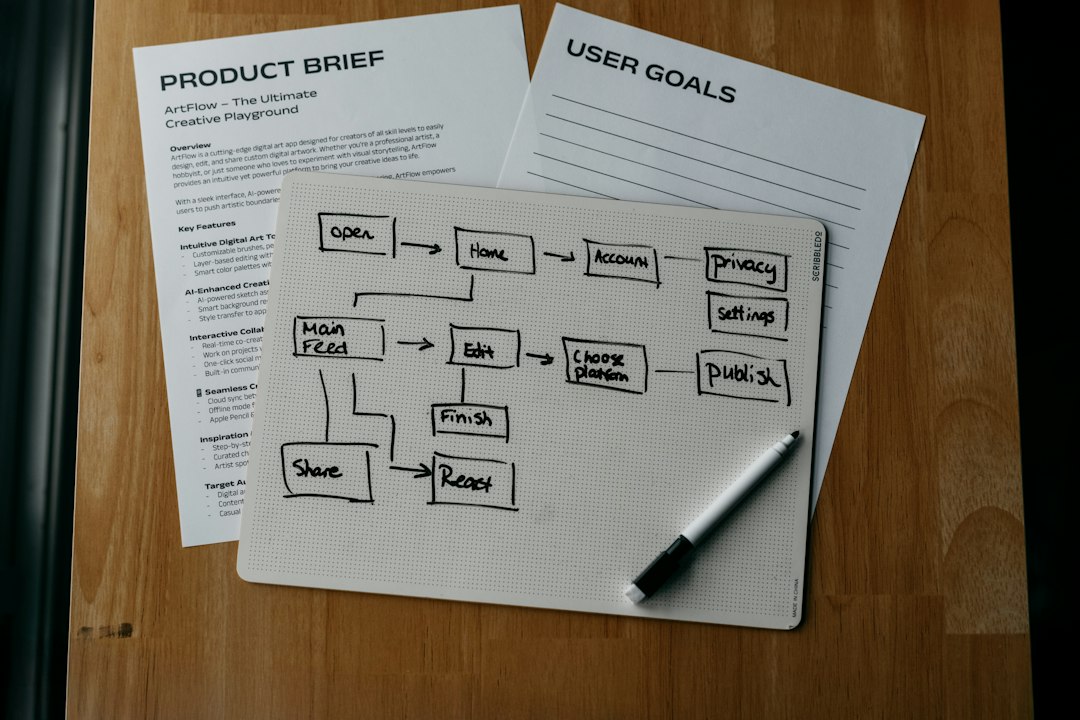
Whimsical sits between Balsamiq and Figma. It is not as design-heavy as Figma. It is not as wireframe-only as Balsamiq. Its strength is product thinking in one board: flowcharts, mind maps, docs, sticky notes, and wireframes.
This makes it a strong MockFlow alternative for discovery work. A team can map a checkout flow, list edge cases, and sketch a rough payment screen on the same board. That saves time. It also keeps context visible.
Whimsical works well for workshops. It is clean, quick, and friendly. The wireframe library is not huge, but it covers common needs. For complex UI details, it starts to feel light.
Where Whimsical wins
- Great for early product planning and user flows.
- Simple interface that most teams understand fast.
- Good mix of diagrams, notes, and wireframes.
- Ideal for workshops with product, UX, and business teams.
Where Whimsical falls short
- Wireframe controls are more basic than Figma.
- Not ideal for polished interface design.
- Large boards can get messy without clear naming and sections.
Which tool should a team choose?
If the goal is pure low-fidelity wireframing, Balsamiq is the safest pick. It keeps things rough. It keeps people honest. Nobody wastes 12 minutes arguing about the perfect shade of blue.
If the team already uses designers and developers in the same workflow, Figma makes more sense. It reduces rework later. The rough wireframe can become the real product design.
If the team is still shaping the idea, Whimsical may be the best fit. It helps people think before they design. That is useful for sitemaps, feature planning, onboarding flows, and quick product workshops.
FAQ
What is the best MockFlow alternative for low-fidelity wireframes?
Balsamiq is usually the best choice for true low-fidelity wireframes. It is fast, simple, and built to keep designs rough.
Is Figma better than Balsamiq?
Figma is better for teams that need final UI design, prototypes, and handoff. Balsamiq is better for quick early sketches.
Is Whimsical good for wireframes?
Yes. Whimsical is good for simple wireframes, especially when paired with user flows, notes, and planning boards.
Which tool is easiest for non-designers?
Balsamiq is the easiest for classic wireframes. Whimsical is also easy, especially for teams that think in diagrams and sticky notes.
Can Figma be used for low-fidelity wireframes?
Yes. Figma can handle low-fidelity wireframes well, but teams must avoid polishing too early. Its power can slow down rough thinking.