
DuoPlus is a cloud phone and multi-account management platform built for teams that need separate mobile environments without maintaining a shelf of physical Android devices. It is often evaluated by social media operators, cross-border e-commerce teams, affiliate marketers, QA testers, and agencies that need cleaner account separation, remote access, and repeatable mobile workflows.
TLDR: DuoPlus provides cloud-based Android phones that can be managed remotely, each with its own device environment for apps, accounts, and workflows. For example, a small e-commerce team managing 20 marketplace or social accounts could reduce the need for 20 physical phones to only a few office devices, while assigning one cloud phone per account. Its strongest value is in scalable account operations, but pricing depends heavily on the number of cloud phones, rental duration, proxy setup, and team requirements.
DuoPlus Review: What It Is
DuoPlus is designed to replace or supplement physical Android devices with cloud-hosted mobile instances. Instead of installing apps and logging into accounts on a local phone, a user operates a cloud phone through a browser or desktop interface. Each cloud phone can have its own applications, storage, settings, and operational profile.
The platform is especially relevant for workflows where account isolation matters. A content team may run multiple social profiles, a seller may manage different storefront accounts, or a testing team may need repeatable mobile environments. DuoPlus gives these users a centralized way to open, control, and organize mobile devices without constantly switching SIM cards, handsets, or office workstations.
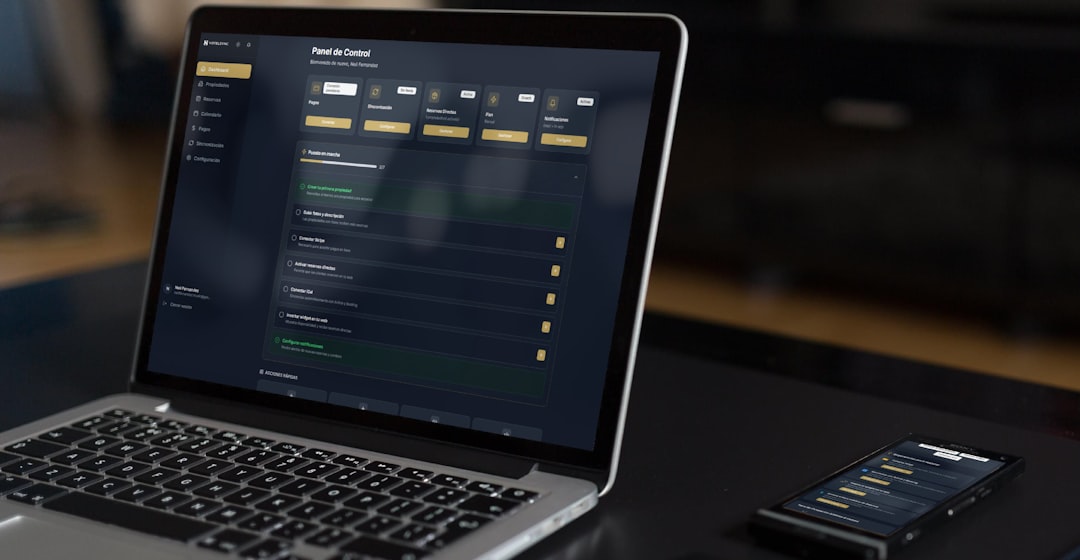
Key Features of DuoPlus
- Cloud Android devices: DuoPlus offers virtual mobile devices hosted in the cloud. These devices can run mobile apps and remain accessible remotely, which is useful for distributed teams.
- Multi-account management: The platform helps separate different accounts into different phone environments. This can reduce confusion and help teams keep workflows organized.
- Independent device environments: Each cloud phone can maintain its own app data, login state, and settings. This is one of DuoPlus’s main advantages over using a single local emulator.
- Team collaboration: Agencies and operational teams can assign devices, share access, and standardize procedures across staff members.
- Proxy and network configuration: DuoPlus is commonly used alongside proxies or dedicated IP setups, allowing teams to align each cloud phone with a specific network strategy.
- App installation and management: Users can install common Android apps, prepare account environments, and keep workflows consistent across multiple devices.
- Automation potential: Some teams evaluate DuoPlus for repetitive app-based tasks, although automation should always be used carefully and in line with platform rules.
User Experience and Ease of Use
DuoPlus is generally easier to manage than a large collection of physical phones. A manager can monitor multiple cloud devices from one interface, while operators can log in remotely from different locations. This makes it attractive for companies with remote staff or multiple account managers.
However, the platform still requires a learning curve. New users need to understand how cloud phones, proxies, account warm-up, app permissions, and team roles work together. For simple one-account use, DuoPlus may feel more complex than necessary. For structured multi-account operations, the added complexity can be justified.
Performance depends on the selected cloud phone configuration, server quality, app demands, and network connection. Lightweight social apps and messaging tools may run smoothly, while graphics-heavy apps or intensive testing scenarios may require stronger resources.
Pricing: How Much Does DuoPlus Cost?
DuoPlus pricing is typically based on the number of cloud phones, usage duration, and selected service configuration. Instead of a simple one-size-fits-all subscription, buyers should expect pricing to scale with operational size. A single user with a few devices will pay far less than an agency managing hundreds of accounts.
| Pricing Factor | How It Affects Cost |
|---|---|
| Number of cloud phones | More devices usually mean a higher monthly cost, though volume discounts may apply. |
| Rental period | Longer commitments may reduce the effective monthly price per device. |
| Device performance | Higher-resource phones may cost more than basic instances. |
| Proxies and network tools | External proxy services may add separate monthly expenses. |
| Team features | Larger teams may need collaboration controls, permissions, or enterprise support. |
As a practical estimate, many cloud phone and multi-account setups in this category can range from a few dollars per device per month to higher rates for premium configurations. The most reliable approach is to check DuoPlus’s current dashboard or sales quote, because prices may change by region, promotion, and device type.

Pros and Cons
Pros
- Scalable: DuoPlus is suitable for teams that need dozens or even hundreds of separated mobile environments.
- Remote-friendly: Staff members can work from different locations without shipping physical phones.
- Organized account separation: Each account can be assigned to a dedicated cloud phone.
- Lower hardware burden: Companies do not need to buy, charge, label, and repair large numbers of phones.
Cons
- Ongoing cost: Monthly cloud phone fees can become significant at scale.
- Requires careful setup: Poor proxy choices or inconsistent account behavior can still create operational risk.
- Not ideal for every user: A freelancer with one or two accounts may not need a full cloud phone system.
- Platform policy concerns: Users must ensure that their activities comply with the terms of the apps and services they access.
Similar Software and Alternatives
DuoPlus competes with several categories of software. The closest alternatives are cloud phone platforms, Android cloud device services, and anti-detect or multi-account browser tools. The right choice depends on whether the workflow is mobile-first or browser-first.
- MoreLogin: A multi-account browser solution focused on browser fingerprints and profile isolation. It is better suited for web-based accounts than mobile apps.
- AdsPower: A popular anti-detect browser for e-commerce, advertising, and social media teams. It provides profile management, team features, and automation integrations.
- GoLogin: Another browser profile manager that emphasizes fingerprint control and cross-platform accessibility. It is useful when Android apps are not required.
- Genymotion Cloud: A cloud Android option often used by developers and testers. It may be stronger for app testing than account operations.
- BrowserStack App Live: A professional testing platform for accessing real mobile devices and browsers. It is best for QA teams rather than ongoing account management.
- Local Android emulators: Tools such as BlueStacks or LDPlayer may work for basic app use, but they usually lack the scalable separation, remote access, and team controls of cloud phone systems.
Compared with browser-based alternatives, DuoPlus is stronger when the workflow depends on mobile apps. Compared with QA testing platforms, it is more operationally focused. Compared with local emulators, it is easier to scale and manage remotely.

Who Should Use DuoPlus?
DuoPlus is a good fit for teams that manage multiple mobile-based accounts and need structured separation between them. Social media agencies, marketplace sellers, affiliate teams, and app testing groups may benefit from its cloud phone model. It can also help businesses that want to reduce physical device costs and standardize remote operations.
It is less suitable for casual users, single-account owners, or companies that only need browser profile management. In those cases, a traditional anti-detect browser or a small number of physical phones may be more cost-effective.
Final Verdict
DuoPlus is a practical cloud phone solution for mobile-first multi-account operations. Its main strengths are scalability, remote device access, and account environment separation. Pricing can be reasonable for organized teams, but costs rise as the number of cloud phones grows. For businesses that rely heavily on mobile apps, DuoPlus is worth considering alongside browser-based tools and cloud Android testing platforms.
FAQ
What is DuoPlus used for?
DuoPlus is used to create and manage cloud-based Android phones for mobile app workflows, multi-account operations, remote work, and testing scenarios.
Is DuoPlus the same as an Android emulator?
Not exactly. A local emulator runs on a user’s computer, while DuoPlus provides cloud-hosted mobile environments that can be accessed remotely and managed at scale.
How much does DuoPlus cost?
DuoPlus pricing depends on the number of cloud phones, rental period, configuration, and any related services such as proxies. Users should check the current official pricing or request a quote before purchasing.
Who are the main DuoPlus competitors?
Comparable options include AdsPower, GoLogin, MoreLogin, Genymotion Cloud, BrowserStack App Live, and local Android emulators. The best alternative depends on whether the workflow requires mobile apps or browser profiles.
Is DuoPlus suitable for beginners?
It can be used by beginners, but it is more valuable for users who already understand multi-account management, proxies, and mobile app operations. Small teams may need time to configure it properly.