
When website owners first noticed a growing number of keywords labeled as “(not provided)” inside Google Analytics, confusion quickly followed. For years, marketers relied on keyword data to understand how users found their websites through organic search. Then, seemingly overnight, detailed keyword visibility began to disappear. What replaced it was a single phrase—“not provided”—leaving many businesses wondering what happened and how to adapt.
TLDR: Google Analytics shows “not provided” keywords because Google encrypts most organic search queries to protect user privacy. This change limits direct keyword visibility in standard Analytics reports. However, website owners can recover valuable insights using tools like Google Search Console, landing page analysis, and third-party SEO platforms. While keyword tracking has changed, actionable data is still accessible with the right approach.
What Does “Not Provided” Mean?
In Google Analytics, “(not provided)” appears in the Organic Keywords report when the actual search query used by a visitor is hidden. Instead of showing the keyword someone typed into Google, Analytics simply lists the visit as “not provided.”
This primarily affects organic search traffic. Paid search campaigns (such as Google Ads), on the other hand, still provide keyword data—assuming proper integration and auto-tagging are enabled.

Why Did Google Remove Keyword Data?
The shift began in 2011, when Google started encrypting searches for logged-in users. By 2013, Google expanded secure search to nearly all users, resulting in most organic keyword data becoming unavailable in Google Analytics.
The primary reason? User privacy.
When users search while logged into a Google account—or simply through secure HTTPS connections—their search queries are encrypted. This encryption prevents third-party tools, including Google Analytics, from accessing the specific keywords.
Importantly, Google still collects this data internally. It simply does not pass organic keyword data to website owners through Analytics.
How “Not Provided” Impacts SEO and Marketing
Before encryption, marketers could:
- Identify high-performing organic keywords
- Optimize landing pages based on keyword engagement
- Measure keyword-level conversions
- Discover new content opportunities from search trends
With “not provided” obscuring this data, businesses lost direct visibility into which specific terms generated traffic and conversions. This forced marketers to shift from keyword-level analysis to page-level and intent-based analysis.
However, the change also encouraged more holistic SEO strategies. Instead of obsessing over individual keywords, marketers began focusing on:
- Search intent
- Topic clusters
- Content depth and relevance
- User engagement metrics
Where Can You Still See Keyword Data?
Even though Google Analytics hides organic keywords, keyword data is not entirely gone. It’s simply distributed across other platforms.
1. Google Search Console
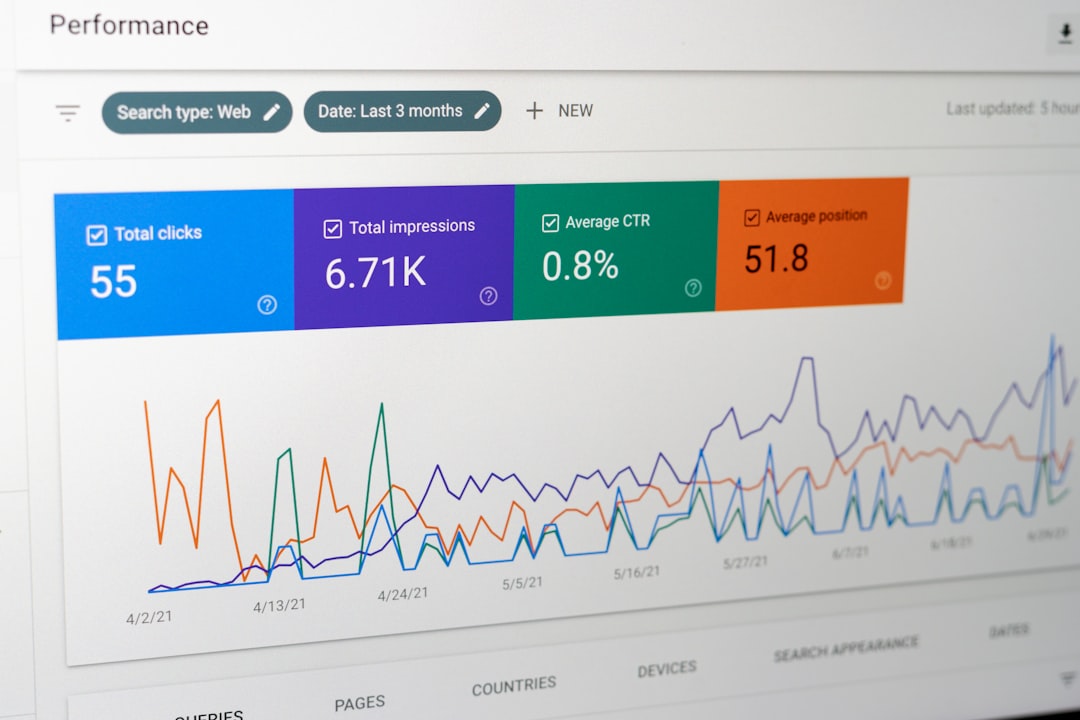
Google Search Console (GSC) provides query-level data, including:
- Search queries
- Impressions
- Clicks
- Click-through rates (CTR)
- Average position
Although GSC data is limited to 16 months of history and does not directly show user sessions like Analytics, it remains the most accurate source of organic keyword information.

2. Landing Page Analysis in Google Analytics
While keywords are hidden, landing pages are not. By analyzing which pages receive organic entrances, marketers can infer keyword intent based on the page’s content and optimization focus.
For example:
- A blog post optimized for “email marketing tips” likely attracts related search variations.
- A product page targeting “wireless headphones” likely ranks for similar commercial keywords.
This page-level strategy is now a standard practice in SEO reporting.
3. Google Ads (Paid Search Data)
If a business runs paid search campaigns, Google Ads still provides full keyword reporting. While this does not directly reflect organic behavior, it can reveal:
- High-converting keyword themes
- User intent patterns
- Search demand insights
Paid data often complements organic strategy development.
4. Third-Party SEO Tools
SEO platforms estimate keyword rankings and traffic through independent databases and SERP tracking. These tools do not rely on Analytics data but instead monitor search engine results pages directly.
Comparison of Keyword Data Sources
| Tool | Shows Organic Keywords? | Provides Click Data? | Historical Data Limit | Best For |
|---|---|---|---|---|
| Google Analytics | No (Shows “Not Provided”) | Yes (Sessions) | Custom retention settings | User behavior analysis |
| Google Search Console | Yes | Yes | 16 months | Search performance insights |
| Google Ads | Yes (Paid only) | Yes | Account dependent | Commercial keyword insights |
| SEO Tools (SEMrush, Ahrefs, etc.) | Estimated data | Estimated traffic | Varies by plan | Competitive research |
How to Work Around “Not Provided”
Although the loss of keyword visibility was disruptive, marketers developed new methodologies to compensate.
1. Pair Search Console with Analytics
By linking Google Search Console with Google Analytics, website owners can view query data alongside user behavior metrics. While integration does not fully restore keyword tracking, it narrows the gap.
2. Focus on Topic Clusters
Instead of optimizing single pages for one keyword, many SEO strategies now revolve around topic authority. A pillar page targets a broad theme, supported by cluster content addressing subtopics.
This structure aligns better with modern search algorithms, which prioritize context over exact-match keywords.
3. Analyze On-Page Engagement
Metrics such as:
- Bounce rate
- Engagement time
- Conversion rate
- Scroll depth
provide insight into how well traffic matches user intent—even if the original keyword remains hidden.
4. Use Landing Page Segmentation
Filtering organic sessions by landing page reveals performance patterns. Pages that consistently attract and convert traffic likely rank for valuable keyword groups.
5. Track Rankings Independently
Rank-tracking tools monitor where pages appear in search results for target keywords. While they don’t show exact session data, they provide strategic direction for optimization efforts.
Is “Not Provided” Still Relevant in 2026?
Yes—but it’s no longer a shock.
Today, most marketers understand that individual keyword tracking inside Google Analytics is obsolete. Instead, SEO reporting has evolved toward:
- Intent-based optimization
- Content performance metrics
- Search visibility trends
- Conversion-focused strategy
Google’s algorithms increasingly prioritize context, user behavior, and semantic relevance. In that sense, the disappearance of keyword-level data pushed the industry toward more sophisticated and sustainable practices.
Common Misconceptions About “Not Provided”
Myth 1: The data is completely gone.
False. Keyword data is accessible through Google Search Console and other tools.
Myth 2: Only small websites see “not provided”.
Incorrect. Nearly all websites experience it for organic search traffic.
Myth 3: This affects paid traffic.
Not typically. Paid campaigns maintain keyword transparency.
Myth 4: SSL certificates cause “not provided.”
Not directly. Google’s secure search encryption causes it, not your website’s SSL setup.
The Bigger Picture: Privacy vs. Data Transparency
The “not provided” shift reflects a broader digital trend: growing emphasis on user privacy. Over time, regulations such as GDPR and evolving browser privacy standards have further limited granular tracking.
From a strategic standpoint, marketers must now balance:
- Data-driven decision making
- User privacy expectations
- First-party data strategies
- Consent-based tracking models
Rather than resisting privacy changes, successful businesses adapt by building strong content ecosystems and leveraging integrated reporting platforms.
Conclusion
Google Analytics “not provided” keywords once felt like a major setback for SEO professionals. Yet over time, the industry adjusted. While marketers can no longer see every organic search query inside Analytics, alternative tools and methodologies provide powerful insights.
By combining Google Search Console data, landing page analysis, search intent optimization, and independent rank tracking, businesses can make informed strategic decisions without relying on outdated keyword reports. In many ways, the loss of keyword-level visibility catalyzed a more intelligent, user-focused approach to digital marketing.
Frequently Asked Questions (FAQ)
1. Why does Google Analytics show “(not provided)” for organic keywords?
Google encrypts search queries to protect user privacy. As a result, most organic keyword data is hidden in Google Analytics.
2. Can I recover “not provided” keywords in Google Analytics?
No, not directly. However, you can access query data through Google Search Console and combine it with Analytics insights.
3. Does “not provided” affect paid search traffic?
Generally no. Google Ads campaigns still provide detailed keyword reporting when configured properly.
4. Is there a tool that restores full keyword visibility?
No legitimate tool can fully restore hidden organic keyword data in Analytics. Third-party SEO platforms provide estimates and ranking data but not exact historical session matching.
5. What is the best alternative to keyword-based SEO reporting?
A combination of Search Console query data, landing page performance analysis, conversion tracking, and topic-based content strategy offers the most accurate and sustainable approach.
6. Has Google indicated it will bring back keyword data?
No. Given ongoing privacy priorities, it is highly unlikely that Google will restore full organic keyword visibility in Analytics.