
Buying a new gaming screen can feel like choosing a spaceship. There are numbers everywhere. 4K. 120Hz. VRR. HDR. HDMI 2.1. DisplayPort 2.1. It sounds intense. But do not worry. This guide keeps it simple, fun, and useful.
TLDR: For most living room gamers, HDMI 2.1 is the easy winner because it works with PS5, Xbox Series X, and modern TVs. For PC gamers with powerful graphics cards and high-end monitors, DisplayPort 2.1 can be better because it has more bandwidth and supports crazy future-ready setups. For 4K 120Hz, both can work well. Your best choice depends on your device, screen, and cable.
The simple answer
If you want to play games at 4K 120Hz, both HDMI 2.1 and DisplayPort 2.1 can do the job.
That means you can get sharp 4K visuals and very smooth motion. Your games look crisp. Your aim feels faster. Racing games feel silky. Action games feel less blurry.
But there is a catch. There is always a catch.
HDMI 2.1 is more common on TVs and consoles. DisplayPort 2.1 is more common on gaming monitors and PCs.
So the real question is not just, “Which is better?”
The better question is:
“Which one is better for my gaming setup?”
What is HDMI 2.1?
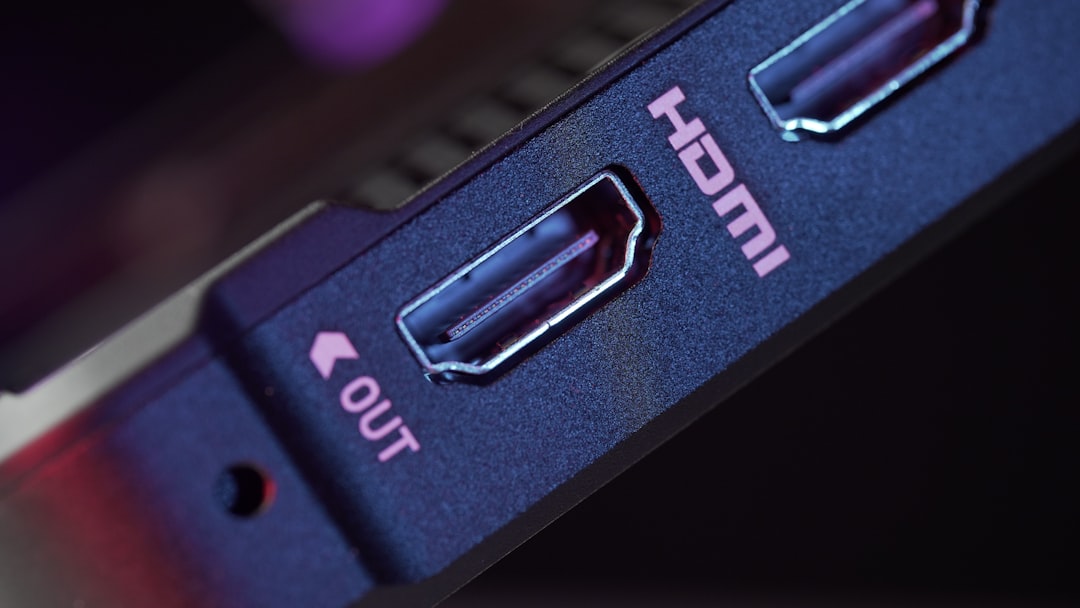
HDMI stands for High Definition Multimedia Interface. That is a big name for a very familiar cable.
You have probably used HDMI before. It connects consoles, TVs, soundbars, streaming boxes, laptops, and Blu-ray players.
HDMI 2.1 is the newer and faster version. It was made for modern gaming and media.
It supports great features like:
- 4K at 120Hz
- 8K at 60Hz
- Variable Refresh Rate, also called VRR
- Auto Low Latency Mode, also called ALLM
- Enhanced Audio Return Channel, also called eARC
- HDR for brighter and richer images
For consoles, HDMI 2.1 is the star of the show. The PlayStation 5 and Xbox Series X use HDMI 2.1 for 4K 120Hz gaming.
If you game on a TV, HDMI 2.1 is probably what you want.
What is DisplayPort 2.1?
DisplayPort is another video connection. It is very popular with PC gamers.
You will find it on many graphics cards and gaming monitors. It is less common on TVs. In fact, most TVs do not have DisplayPort at all.
DisplayPort 2.1 is the newer version. It is very powerful. It can handle huge amounts of data.
That matters because modern gaming can be demanding. A high resolution needs data. A high refresh rate needs data. HDR needs data. More colors need data. Everything wants a slice of the pizza.
DisplayPort 2.1 brings a bigger pizza.
It can support things like:
- 4K at very high refresh rates
- 8K gaming
- Ultrawide monitors
- High bit depth color
- Display Stream Compression, also called DSC
- Multi monitor setups
For serious PC gamers, DisplayPort 2.1 is very exciting. It has more room for future gaming gear.
Bandwidth: the big road for game data
Think of bandwidth like a highway.
Your game image is made of cars. More resolution means more cars. Higher refresh rate means more cars per second. HDR adds shiny sports cars. Better color adds trucks full of paint.
If the highway is too small, traffic gets messy.
HDMI 2.1 can offer up to 48 Gbps of bandwidth. That is plenty for 4K 120Hz.
DisplayPort 2.1 can go higher, depending on the version supported. Some DisplayPort 2.1 devices can offer up to 80 Gbps of bandwidth.
That is a lot. A whole lot. Like “monster truck lane” levels of space.
So, on raw power, DisplayPort 2.1 can win.
But raw power is not everything. A race car is great. But not if your garage only fits bicycles.
For 4K 120Hz, do you need DisplayPort 2.1?
No. Not usually.
For 4K 120Hz, HDMI 2.1 is enough. It was basically built for this.
If you own a PS5 or Xbox Series X, HDMI 2.1 is the correct choice. These consoles do not use DisplayPort. So there is no real debate there.
If you own a gaming PC, you may have both ports available. In that case, DisplayPort can be a great choice. But for basic 4K 120Hz, HDMI 2.1 still performs very well.
The important part is this:
- Your screen must support 4K 120Hz.
- Your device must support 4K 120Hz output.
- Your cable must support the right speed.
- Your game must support 120Hz mode.
If one link is weak, the magic may not happen.
Console gaming: HDMI 2.1 is the champ
Console gamers have an easy answer.
Pick HDMI 2.1.
The PS5, Xbox Series X, and Xbox Series S all use HDMI. They are made for TVs. Most gaming TVs use HDMI 2.1 ports.
With HDMI 2.1, you can get:
- 4K 120Hz in supported games
- VRR for smoother gameplay
- HDR for better contrast and color
- ALLM to reduce input lag
- eARC for better soundbar and receiver support
That is a nice bundle.
Think of HDMI 2.1 like the friendly golden retriever of gaming ports. It works with almost everything in your living room. It does not ask too many questions. It just wants to help.
PC gaming: DisplayPort 2.1 has the muscle
PC gaming is different.
PC gamers love options. Many options. Too many options. Wonderful, confusing options.
If you have a powerful PC and a high-end monitor, DisplayPort 2.1 may be the better choice.
Why?
Because it can handle more demanding monitor setups. It is great for high refresh rates. It is great for big ultrawide screens. It is also better prepared for future displays.
For example, you may want:
- 4K at 144Hz
- 4K at 240Hz
- 8K at 60Hz or higher
- Ultrawide gaming with high refresh rates
- Multi monitor setups
DisplayPort is often the favorite in these cases.
It is like the gym bro of video ports. It lifts heavy. It talks about bandwidth. It probably owns protein powder.
What about VRR?
VRR means Variable Refresh Rate.
It helps your screen match the frame rate of your game. This can reduce screen tearing and stutter. The result feels smoother.
Both HDMI 2.1 and DisplayPort 2.1 can support VRR.
On consoles, HDMI 2.1 VRR is very important. Xbox has supported it well for a while. PS5 also supports VRR on compatible displays.
On PC, VRR often appears as AMD FreeSync or Nvidia G Sync Compatible. These usually work very well over DisplayPort. Many also work over HDMI.
The key word is compatible. Always check your monitor or TV specs.
What about HDR?
HDR means High Dynamic Range.
It gives you brighter highlights, deeper shadows, and richer colors. Fire looks hotter. Space looks deeper. Neon signs look like they are trying to melt your eyeballs, in a good way.
Both HDMI 2.1 and DisplayPort 2.1 can support HDR.
But HDR quality depends more on your display than the cable type.
A great OLED TV with HDMI 2.1 can look amazing. A cheap monitor with DisplayPort 2.1 may still have weak HDR. The port is not magic. The screen matters a lot.
Compression: is it bad?
You may see the term DSC. It means Display Stream Compression.
That sounds scary. It is not.
DSC compresses the video signal so more data can fit through the cable. It is designed to be visually lossless. That means your eyes should not notice a quality drop.
Both HDMI and DisplayPort can use compression in some cases.
For extreme settings, like very high refresh rates at 4K or 8K, compression can be useful.
For normal 4K 120Hz, you usually do not need to worry about it. Just make sure your hardware supports the settings you want.
Cables matter more than people think
Here is a boring but important truth.
Your cable can ruin the party.
If you use an old HDMI cable, you may not get 4K 120Hz. You may get flickering. You may get black screens. You may get sadness.
For HDMI 2.1, look for an Ultra High Speed HDMI cable. That is the label you want.
For DisplayPort 2.1, look for a certified cable that supports the bandwidth your gear needs. Terms like UHBR10, UHBR13.5, or UHBR20 may appear.
Shorter cables are often safer for high bandwidth. If you need a long cable, buy carefully. Check reviews. Check certification.
TVs vs monitors
This is one of the biggest differences.
TVs mostly use HDMI. If you want a big couch gaming setup, HDMI 2.1 is the way to go.
Modern gaming TVs from brands like LG, Samsung, Sony, and TCL often include HDMI 2.1 ports. Some have four full-speed ports. Some have only two. Some use confusing labels. Always check.
Monitors often use DisplayPort. If you want a desk gaming setup, DisplayPort 2.1 may be better.
Many gaming monitors include both HDMI and DisplayPort. But they may not support the same features on every port.
For example, a monitor might support 4K 144Hz over DisplayPort but only 4K 120Hz over HDMI. Or it might support full color over one port but not another.
Specs matter. Tiny footnotes matter. Sadly, yes.
Input lag and gaming feel
Input lag is the delay between pressing a button and seeing the action on screen.
Low input lag is important. Especially for shooters, fighters, and racing games.
The port itself is usually not the main problem. Your TV or monitor processing matters more.
For TVs, use Game Mode. HDMI 2.1 also supports ALLM, which can switch the TV into low latency mode automatically.
For monitors, input lag is usually already low. DisplayPort performs very well here.
So do not pick a port only because of input lag. Pick a good screen. Then use the best port it offers.
Audio features
HDMI has a big advantage for home theater audio.
HDMI 2.1 supports eARC. This lets your TV send high-quality audio to a soundbar or receiver. It is great for Dolby Atmos and surround sound setups.
DisplayPort can carry audio too. But it is not the normal choice for living room audio gear.
If you use a console, TV, and soundbar, HDMI 2.1 is much easier.
If you use headphones or PC speakers, DisplayPort audio features may not matter much.
Which is more future proof?
This is where DisplayPort 2.1 flexes.
For future PC monitors, DisplayPort 2.1 has big potential. It can support higher bandwidth than HDMI 2.1. That gives it more room for wild display modes.
Think 4K 240Hz. Think 8K. Think giant ultrawide monitors that look like command centers.
But future proofing also depends on adoption. HDMI is everywhere. TVs, consoles, receivers, projectors, capture cards, and soundbars all love HDMI.
So HDMI 2.1 may be more useful across more devices. DisplayPort 2.1 may be more powerful for high-end PC gaming.
It is not one simple winner. It is two different superheroes.
- HDMI 2.1: The living room hero.
- DisplayPort 2.1: The PC performance hero.
Common mistakes to avoid
Before you buy, avoid these traps:
- Assuming every HDMI 2.1 port is the same. Some devices support fewer features.
- Using an old cable. This can block 4K 120Hz.
- Forgetting to enable 120Hz in settings. Consoles and PCs may need setup.
- Ignoring monitor limits. Some ports support different refresh rates.
- Thinking the cable improves graphics. It does not. It only carries the signal.
So, which should you choose?
Choose HDMI 2.1 if:
- You game on PS5 or Xbox Series X.
- You use a 4K TV.
- You want easy soundbar or receiver support.
- You want 4K 120Hz in the living room.
- You prefer simple plug and play.
Choose DisplayPort 2.1 if:
- You game on a PC.
- You use a high-end gaming monitor.
- You want very high refresh rates.
- You use ultrawide or multi monitor setups.
- You want more future-ready bandwidth.
The final verdict
For 4K 120Hz gaming, both HDMI 2.1 and DisplayPort 2.1 are excellent.
HDMI 2.1 is better for most console gamers and TV users. It is common, simple, and packed with helpful gaming features. It also handles audio better for home theater setups.
DisplayPort 2.1 is better for many serious PC gamers. It offers more bandwidth. It is great for high-end monitors. It is ready for more extreme refresh rates and resolutions.
So here is the fun answer.
If your gaming setup lives on a couch, choose HDMI 2.1.
If your gaming setup lives on a desk with RGB lights and a keyboard that sounds like popcorn, choose DisplayPort 2.1.
Either way, 4K 120Hz is awesome. The games are sharp. The motion is smooth. The explosions are pretty. And your old 60Hz screen may start feeling like it came from a museum.