
Many people want to save online videos for offline viewing, classroom use, research, travel, or archiving. Because YouTube is one of the largest video platforms in the world, it is no surprise that YouTube video downloaders are widely searched for and widely used. However, the question is not simply whether these tools work. The more important question is whether using them is legal, safe, and responsible.
TLDR: Using a YouTube video downloader may be legal in limited situations, such as downloading one’s own videos, videos with explicit permission, or content offered under a license that allows downloading. However, downloading copyrighted videos without permission often violates YouTube’s Terms of Service and may also create copyright problems. Safety is another concern because many downloader websites and apps contain intrusive ads, malware risks, tracking scripts, or misleading buttons. The safest approach is to use official download options, respect copyright, and avoid suspicious third-party tools.
Understanding What a YouTube Video Downloader Does
A YouTube video downloader is a website, browser extension, desktop program, or mobile app that allows a user to save a video from YouTube onto a device. Some tools download the full video, while others extract only the audio. Some convert videos into formats such as MP4 or MP3. Although these tools can seem convenient, their legal and safety status depends heavily on what is being downloaded, how it is being used, and whether permission exists.
It is important to separate the technical ability to download from the legal right to download. A tool may make downloading easy, but ease of access does not automatically mean that the action is permitted. This distinction is especially important with platforms such as YouTube, where much of the content is protected by copyright and governed by platform rules.

Is Using a YouTube Video Downloader Legal?
The legal answer is: it depends. There is no single answer that applies to every country, every video, or every user. Laws vary by jurisdiction, and copyright rules can be complex. However, several general principles usually apply.
1. Downloading Copyrighted Content Without Permission Can Be Illegal
Most videos on YouTube are protected by copyright. The copyright may belong to the creator, a company, a music label, a broadcaster, or another rights holder. Downloading copyrighted content without permission may infringe the rights holder’s control over reproduction and distribution.
For example, downloading a music video, movie clip, TV segment, paid course, or creator’s video without permission may be legally risky. Even if the download is only for personal viewing, it may still violate copyright laws in some places. Personal use is not always a complete defense.
2. YouTube’s Terms of Service Matter
In addition to copyright law, YouTube has its own Terms of Service. These terms generally restrict users from downloading content unless YouTube provides a download button or the creator has clearly allowed downloading. This means that even if a downloader does not appear to break a criminal law, it may still violate the platform’s rules.
Violating platform terms can have consequences. A user’s account may be restricted, features may be limited, or access may be terminated. For businesses, schools, or organizations, violating platform terms may also create reputational and compliance concerns.
3. Some Downloads May Be Permitted
Not every download is automatically unlawful. There are situations where downloading may be acceptable, including:
- Downloading one’s own uploaded videos: A creator who owns the content may usually keep copies of their own work.
- Using YouTube’s official download feature: Some videos can be saved offline through YouTube Premium or the YouTube app, depending on location and availability.
- Downloading videos with explicit permission: If the creator clearly allows downloading, the legal risk is reduced.
- Using Creative Commons content: Some videos are published under licenses that allow reuse, though the license terms must still be followed.
- Public domain content: Certain older or government-created works may not be protected by copyright, depending on jurisdiction.
Even in these cases, the user should check the source, license, and intended use. A Creative Commons license, for example, may require attribution or may prohibit commercial use.
What About Fair Use?
Fair use is often mentioned in discussions about downloading videos, especially in the United States. It can allow limited use of copyrighted material for purposes such as commentary, criticism, news reporting, teaching, scholarship, or research. However, fair use is not automatic. It depends on factors such as the purpose of use, the nature of the work, the amount used, and the effect on the market for the original work.
Downloading an entire video for convenience is less likely to be protected than using a short clip for commentary or education. Even then, fair use is a legal defense, not a guaranteed permission slip. In many countries, similar concepts exist under names such as fair dealing, but the rules differ. Anyone relying on these exceptions should be careful and, when necessary, seek legal advice.
Is Using a YouTube Video Downloader Safe?
Safety is a separate but equally important issue. Many video downloader tools are operated by unknown third parties. Some are legitimate, while others are risky. The user may be exposed to malware, aggressive advertising, privacy tracking, or misleading downloads.
Common Safety Risks
- Malware and viruses: Some downloaders may install unwanted software, spyware, or malicious browser extensions.
- Fake download buttons: Many websites display multiple buttons, some of which lead to ads, scams, or harmful files.
- Privacy tracking: Downloader sites may collect IP addresses, video URLs, device data, and browsing behavior.
- Phishing attempts: Some tools ask for YouTube login details or personal information, which can compromise accounts.
- Unwanted software bundles: Desktop installers may include toolbars, adware, or background programs.
- Poor file integrity: Downloaded files may be corrupted, mislabeled, or packed with hidden scripts.
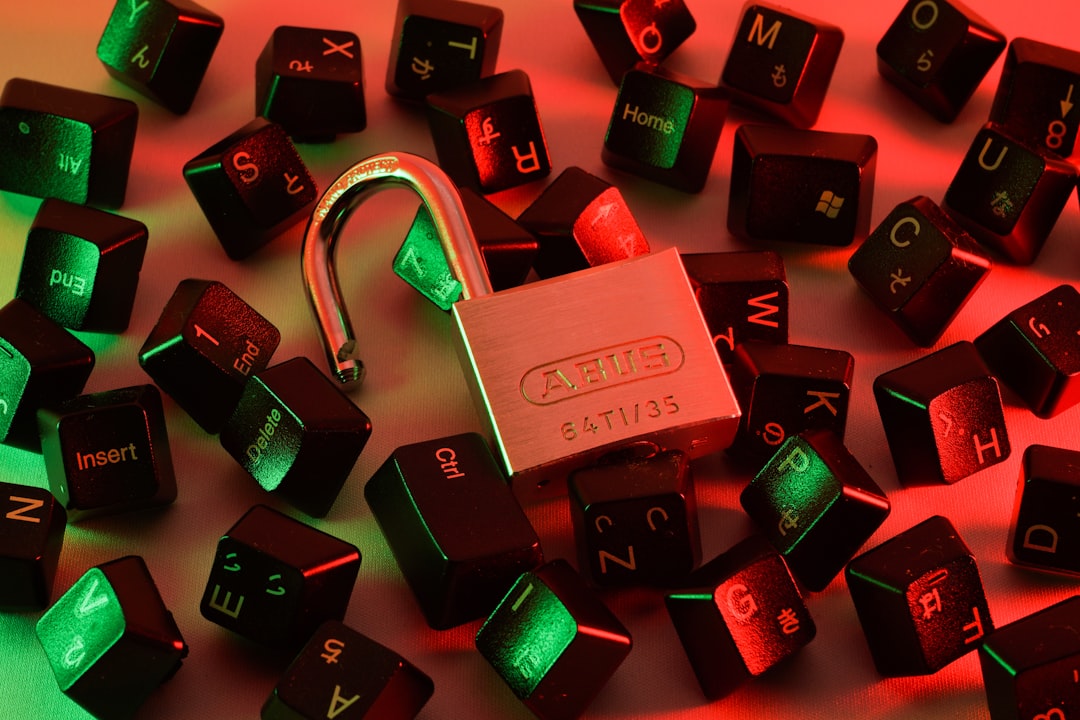
Signs a Downloader May Be Unsafe
A person should be cautious when a downloader shows suspicious behavior. Warning signs include excessive pop-ups, redirects to adult or gambling sites, requests to disable antivirus protection, demands for payment after the download starts, or instructions to install unknown software. A tool that asks for a YouTube password should be avoided entirely unless it is an official YouTube or Google service.
Another concern is browser extensions. Extensions can sometimes read browsing data, inject ads, or alter web pages. If an extension requests broad permissions, such as access to all websites, it may create unnecessary privacy risks. The safest approach is to avoid installing random extensions solely for downloading videos.
Official and Safer Alternatives
For users who want offline access, official tools are generally safer and more compliant. YouTube Premium offers offline viewing in supported regions through official apps. This does not usually create a permanent unrestricted file, but it allows users to watch selected videos without an internet connection while staying within YouTube’s ecosystem.
Creators can also download their own videos through YouTube Studio. This is a practical option for backing up published content. Educational institutions, journalists, and businesses should consider using properly licensed media libraries, creator permissions, or embedded YouTube videos instead of unauthorized downloads.
When Downloading May Be Reasonable
There are practical situations where saving a video can be reasonable. A filmmaker may need to archive a personal upload. A teacher may need access to a creator-approved educational video in a classroom with unreliable internet. A researcher may preserve publicly available content for documentation, subject to applicable law and institutional policy. A person may also download open-license tutorials for offline study when the license allows it.
In these cases, the key considerations are permission, licensing, purpose, and security. If the user can show that the download is authorized or legally justified, and if the tool used is trustworthy, the risk is much lower.
Best Practices for Legal and Safe Use
Anyone considering a YouTube video downloader should follow basic best practices. These steps do not guarantee legality in every case, but they reduce risk.
- Check for permission: The user should look for a download button, license information, or a statement from the creator.
- Avoid copyrighted entertainment content: Music videos, films, sports broadcasts, and commercial media are usually high risk.
- Use official options first: YouTube Premium, YouTube Studio, and creator-provided links are safer choices.
- Do not provide login credentials: Third-party downloaders should not need a YouTube password.
- Scan files: Downloaded files should be checked with reputable antivirus software.
- Avoid unknown software installers: Web-based tools are not automatically safe, but unknown desktop installers can be especially risky.
- Respect license terms: Creative Commons or public domain content may still have attribution or use requirements.
- Consider embedding instead: For websites, blogs, and training materials, embedding a video may be more compliant than downloading and reposting it.

The Difference Between Downloading and Reposting
Downloading a video is one issue; reposting it is another. Reuploading someone else’s YouTube video to another platform, social media account, or website without permission is often much riskier than saving a copy for private use. Reposting can harm the original creator’s views, revenue, and control over the work. It may also trigger copyright claims, takedown notices, account strikes, or legal demands.
Businesses and content creators should be especially careful. Using downloaded YouTube clips in advertisements, presentations, paid courses, podcasts, or promotional videos can create commercial copyright exposure. Permission or licensing should be obtained before such use.
Conclusion
Using a YouTube video downloader is not automatically legal or illegal in every situation. The legality depends on the copyright status of the video, the permissions granted by the creator, the user’s purpose, local law, and YouTube’s Terms of Service. The safest legal route is to use official download features, download only content one owns or has permission to save, and respect all licensing conditions.
From a safety perspective, many third-party downloaders carry real risks. Malware, intrusive ads, privacy tracking, and phishing attempts are common concerns. A careful user should avoid suspicious tools, never share login credentials, and rely on trusted, official, or properly licensed sources whenever possible. Ultimately, the responsible approach is simple: download only when permission is clear, and use tools that do not compromise privacy or security.
FAQ
Is it illegal to download any video from YouTube?
Not necessarily. Downloading may be allowed when the user owns the video, has permission from the rights holder, uses an official YouTube download feature, or downloads content under a license that permits it. However, downloading copyrighted content without permission can be legally risky.
Does YouTube allow third-party video downloaders?
YouTube’s Terms of Service generally do not allow downloading videos unless YouTube provides a download option or the creator clearly permits it. Third-party downloaders may violate those terms, even if they are easy to find online.
Is converting YouTube videos to MP3 legal?
Converting a copyrighted music video, song, podcast, or other protected work to MP3 without permission may violate copyright law and platform rules. It is safer only when the audio is owned by the user, licensed for such use, or clearly allowed by the creator.
Can a YouTube downloader give a device a virus?
Yes. Some downloader websites and apps may expose users to malware, adware, fake buttons, unsafe extensions, or phishing pages. Users should avoid suspicious sites and never install unknown software without careful verification.
Is YouTube Premium a legal way to download videos?
Yes, YouTube Premium provides official offline viewing for eligible videos in supported regions. However, these downloads usually remain inside the YouTube app and are subject to YouTube’s rules and availability limits.
Can teachers download YouTube videos for classroom use?
Sometimes, but it depends on copyright law, school policy, licensing, and the specific use. Educational use does not automatically make every download legal. Teachers should use official options, licensed educational materials, or videos with clear permission whenever possible.
Is it safe to use a browser extension for downloading YouTube videos?
It can be risky. Some extensions request broad permissions, track browsing activity, or inject ads. A user should review permissions carefully and avoid extensions from unknown or poorly reviewed sources.
What is the safest way to save a YouTube video?
The safest method is to use official YouTube features, such as YouTube Premium offline viewing or YouTube Studio for one’s own uploads. If third-party tools are considered, the user should confirm legal permission and take strong security precautions.