
A safe SEO migration starts with a complete URL inventory, a tested redirect map, and a launch plan that tracks rankings, crawl errors, and organic traffic from day one. A website move should never be treated as a design-only project. Search engines need clear signals, users need working pages, and analytics teams need clean data to prove what changed.
TLDR: An SEO migration plan protects rankings by mapping every old URL to its best new destination, testing redirects before launch, and monitoring traffic after release. For example, a retailer moving 3,200 URLs to a new platform might expect a short 5% to 12% organic traffic dip, but a clean 301 redirect plan can prevent a 40% crash. The team should benchmark top landing pages, fix crawl issues fast, and keep the old domain data for comparison.
Why SEO Migration Planning Matters
A website migration can affect rankings, URLs, internal links, metadata, site speed, structured data, and indexation. Any one of these can cause traffic loss. When several break at once, organic performance can fall hard.
The catch is that many migration problems are invisible during design reviews. A page may look fine but return the wrong status code. A redirect may work in a browser but create a chain behind the scenes. Analytics may load, yet strip campaign data. It drives teams crazy when a five-second manual check says “fine,” while a crawler later finds 900 broken canonicals.
A strong plan reduces that risk. It gives developers, SEO teams, content teams, and stakeholders a shared checklist before anything goes live.

Step 1: Define the Type of Website Move
Not every migration has the same risk. The team should first identify what is changing.
- Domain migration: moving from one domain to another.
- Protocol change: moving from HTTP to HTTPS.
- Platform migration: moving to a new CMS or ecommerce system.
- URL structure change: changing folders, slugs, or parameters.
- Design and content rebuild: changing templates, copy, headings, and internal links.
- International migration: changing language URLs, hreflang, or regional folders.
The more items that change at once, the greater the SEO risk. A phased migration is often safer. If the business must change everything at once, the pre-launch checks need extra care.
Step 2: Build a Full URL Inventory
The migration team should collect every indexable URL before launch. This includes URLs from multiple sources, not only the current sitemap.
- Current XML sitemaps
- Google Search Console export
- Analytics landing pages from the last 12 to 18 months
- Backlink tools
- Server logs, if available
- Crawl data from the current site
- Paid search landing pages
- Email and campaign URLs
This list becomes the master file. Each URL should include status code, organic sessions, conversions, backlinks, target keyword group, canonical URL, and the planned new URL. High-value pages should be marked clearly. These are the pages that need the most protection.
Step 3: Create a One-to-One Redirect Map
Redirects are the backbone of an SEO migration. Each old URL should point to the closest matching new URL using a 301 redirect. The goal is not to dump every old page onto the homepage. That wastes relevance and frustrates users.
A good redirect map follows simple rules:
- Old product pages should redirect to the same product, if it still exists.
- Removed products should redirect to the closest category or replacement item.
- Old blog posts should redirect to the same article or a closely related guide.
- Deleted low-value pages may return a 410 status when there is no useful replacement.
- Redirect chains should be avoided.
- Redirect loops must be fixed before launch.
Honestly, it feels like redirect chains should be rare by now, but they still appear after many launches. One old URL points to a staging URL, then to a temporary URL, then to the final page. Search engines can follow some chains, but the signal gets messy and crawl time gets wasted.
Step 4: Preserve On-Page SEO Signals
A migration should not accidentally remove the signals that helped pages rank. The team should compare old and new templates before launch.
- Title tags: should stay relevant and unique.
- Meta descriptions: should be carried over or improved.
- H1 tags: should match page intent.
- Body content: should not be cut without a clear reason.
- Internal links: should use clean, final URLs.
- Canonical tags: should point to the final preferred URL.
- Structured data: should validate with no major errors.
- Images: should keep useful alt text and compressed file sizes.
If copy and URLs change at the same time, ranking shifts become harder to diagnose. The safest route is to keep high-performing content stable during launch, then improve it later after the site settles.
Step 5: Prepare Technical SEO Checks
Before launch, the staging site should be crawled. The team should block it from indexation, but still allow internal testing. Every key template should be reviewed for indexability, status codes, canonical tags, pagination, hreflang, robots directives, and mobile rendering.
The new XML sitemap should include only final, indexable URLs. The robots.txt file should not block key sections. This sounds basic, yet entire sites have launched with a staging “disallow all” rule still active. That single line can damage organic visibility fast.
Core Web Vitals also need review. A new design that adds heavy scripts, huge hero images, or slow third-party tags can hurt both users and search performance. Speed should be tested on real page templates, not only the homepage.
Step 6: Launch With a Controlled Checklist
Launch day should be boring. That is the goal. The team should have a clear order of tasks and named owners.
- Confirm DNS, hosting, SSL, and CDN settings.
- Push the final redirect rules.
- Remove staging noindex rules from the live site.
- Upload the final XML sitemap.
- Check robots.txt.
- Test a sample of high-value redirects.
- Verify analytics, tag manager, and conversion tracking.
- Submit sitemap in Google Search Console.
- Use the change of address tool for domain moves.
The first crawl after launch matters. It should check old URLs, new URLs, status codes, canonicals, broken links, noindex tags, and redirect chains. Any major errors should be fixed within hours, not weeks.
Step 7: Monitor Organic Traffic After Launch
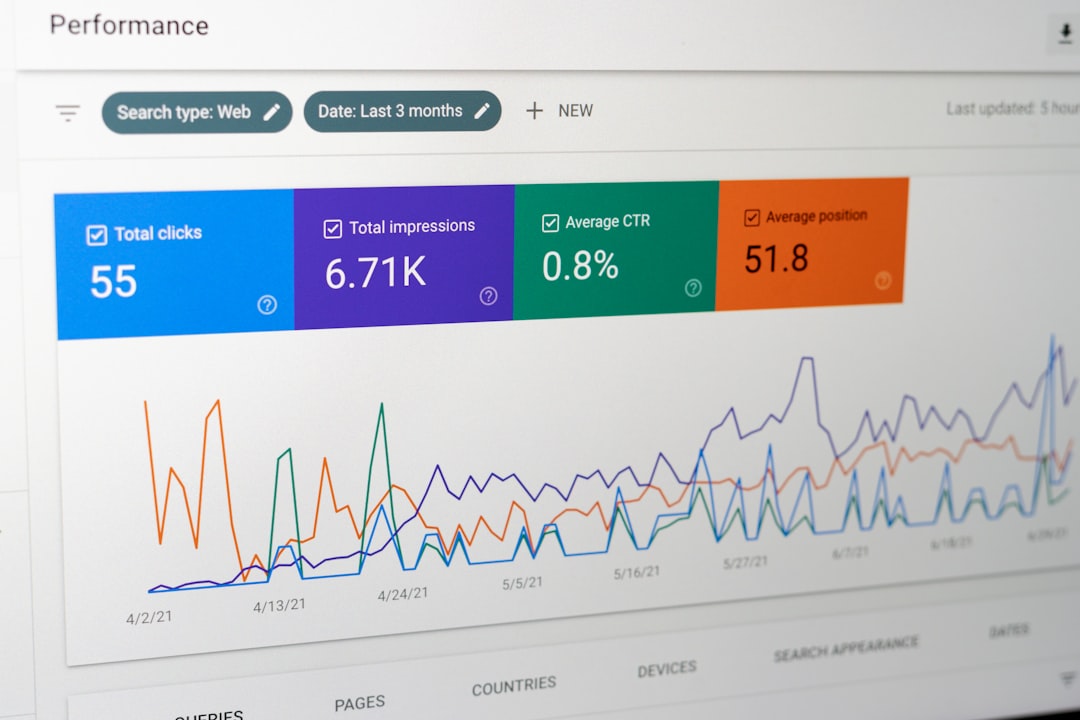
Some movement is normal after a migration. Search engines need time to process redirects and recrawl the new site. The team should monitor daily performance for the first two weeks, then weekly for at least two months.
Key metrics include:
- Organic sessions and revenue
- Rankings for tracked keywords
- Top landing page traffic
- Index coverage reports
- 404 errors and soft 404s
- Crawl stats
- Conversion rate
- Backlink target URLs
A small dip may recover quickly. A sharp fall on specific pages usually points to a mapping, content, template, or indexation issue. For example, if category pages lose 30% of traffic while blog traffic stays flat, the team should inspect category templates, canonical tags, internal links, and faceted URL rules first.
Common SEO Migration Mistakes
- Redirecting all old URLs to the homepage.
- Launching without crawling the new site.
- Changing content, design, and URLs with no benchmark data.
- Forgetting to update internal links.
- Blocking crawlers in robots.txt.
- Leaving noindex tags on live pages.
- Using temporary 302 redirects for permanent moves.
- Ignoring analytics and conversion tracking until later.
The best migration teams assume errors will happen. They just make those errors easier to find and faster to fix.
FAQ
How long does SEO recovery take after a website migration?
Most sites need a few weeks to a few months for rankings and traffic to stabilize. Larger sites, domain moves, and major content changes can take longer.
Are 301 redirects always needed?
Yes, when a page has moved permanently and has a relevant new destination. A 301 redirect helps pass ranking signals and sends users to the right page.
Should every old URL be redirected?
Every valuable old URL should be mapped. Pages with traffic, backlinks, rankings, or conversions need special care. Truly useless pages with no replacement may return a 410 status.
Can a site migration improve SEO?
Yes. A migration can improve speed, structure, crawl efficiency, and content quality. Still, gains are more likely when SEO is planned before launch, not patched afterward.
What is the biggest migration risk?
The biggest risk is poor URL mapping. Broken redirects, homepage redirects, and missing high-value pages can cause quick ranking and traffic losses.