
For teams evaluating email productivity tools, Sidekick by HubSpot remains a notable name because it helped popularize features such as email tracking, contact insights, and sales notifications inside everyday inbox workflows. Although the product has since been absorbed into HubSpot’s broader sales and CRM ecosystem, many users still search for Sidekick by name when comparing lightweight sales productivity tools. This review looks at what Sidekick was designed to do, how its core productivity features worked, and what user feedback suggests about its strengths and limitations.
TLDR: Sidekick by HubSpot was a practical productivity tool focused on email tracking, contact intelligence, and sales workflow visibility. Its main value came from helping users understand when prospects opened emails or clicked links, allowing more timely follow-ups. User feedback was generally positive for simplicity and ease of use, though some users noted concerns around notification overload, limited advanced functionality, and the need to adopt HubSpot’s wider ecosystem for deeper value.
What Sidekick by HubSpot Was Built For
Sidekick was created to solve a common productivity problem: salespeople, marketers, founders, and account managers often send important emails without knowing whether recipients have engaged with them. Traditional email provides little insight after a message is sent. Sidekick added a layer of visibility by tracking email opens, link clicks, and engagement signals.
At its core, Sidekick was not intended to be a full customer relationship management platform. Instead, it worked as a lightweight assistant for email-based selling and relationship management. It helped users answer practical questions such as:
- Has the recipient opened my email?
- Did the prospect click the proposal link?
- Is now a good time to follow up?
- What do I already know about this contact or company?
- Which emails are producing meaningful engagement?
This narrow focus made the tool appealing to users who did not want a complicated sales system but still needed better visibility into email performance.
Productivity Features That Defined Sidekick
The strongest part of Sidekick was its ability to fit into existing email behavior. Rather than forcing users into a completely separate platform, it worked inside commonly used inboxes and browsers. This allowed sales professionals to keep using their normal workflow while gaining additional data.
Email Open Tracking
The most recognizable Sidekick feature was email open tracking. When a recipient opened a tracked email, the sender could receive a notification. For sales teams, this was valuable because it helped distinguish between silence and engagement. If a prospect opened an email multiple times, that could indicate interest, internal sharing, or review before a decision.
Used responsibly, this feature improved timing. A sales representative could follow up shortly after an important message was opened, increasing the chance of reaching the prospect while the topic was still fresh. However, users also needed to avoid overreacting to every open notification. Email tracking is useful, but it is not perfect proof of intent.

Link Click Tracking
Sidekick also offered link click tracking, which gave users a clearer view of engagement than email opens alone. A prospect opening an email may mean little, but clicking a pricing page, brochure, case study, or meeting link can be a stronger buying signal.
This feature was particularly helpful for users sending proposals, product pages, downloadable resources, or calendar links. Instead of guessing whether a contact reviewed important materials, users could see which links generated interest and prioritize follow-ups accordingly.
Contact and Company Insights
Another productivity benefit was access to contact intelligence. Sidekick could provide contextual information about people or companies, helping users personalize outreach. In sales and business development, even small details can make communication more relevant.
For example, knowing a contact’s company, role, industry, or public professional information could help shape a more informed email. This reduced the time spent switching between inboxes, search engines, LinkedIn profiles, and company websites. The result was a faster research process and more relevant messaging.
Email Scheduling and Follow-Up Timing
Email scheduling was another useful feature for productivity. Users could write messages at one time and schedule them to send later. This supported better timing across time zones and helped professionals plan communication around recipient behavior.
For busy teams, scheduling emails in batches was a practical way to manage the workday. A salesperson could prepare outreach in the morning, schedule follow-ups for optimal times, and reduce the need to manually send each message. While this feature is now common in many tools, it was an important productivity advantage when Sidekick gained popularity.
Templates and Reusable Messaging
Sidekick’s productivity value also came from the ability to reduce repetitive writing. Sales teams often send similar messages, including introductions, follow-ups, meeting confirmations, and proposal reminders. Templates helped users maintain consistency while saving time.
However, templates had to be used carefully. The best results came when users personalized messages rather than sending generic text at scale. A good template should act as a starting point, not a substitute for thoughtful communication.
How Sidekick Improved Daily Workflow
The appeal of Sidekick was not only in individual features but in how those features worked together. A user could send a personalized email, track whether it was opened, see whether the recipient clicked a link, and then follow up at a more informed moment. This created a more disciplined approach to outreach.
In practice, Sidekick helped users prioritize their time. Instead of following up with every contact equally, users could focus on prospects showing signs of engagement. This was especially valuable for small teams, founders, consultants, and account executives managing many conversations at once.
For managers, the broader HubSpot ecosystem provided additional value when paired with CRM records and sales pipelines. While Sidekick itself was lightweight, its real long-term importance was its role in connecting inbox activity with customer relationship management.
User Feedback: What People Liked
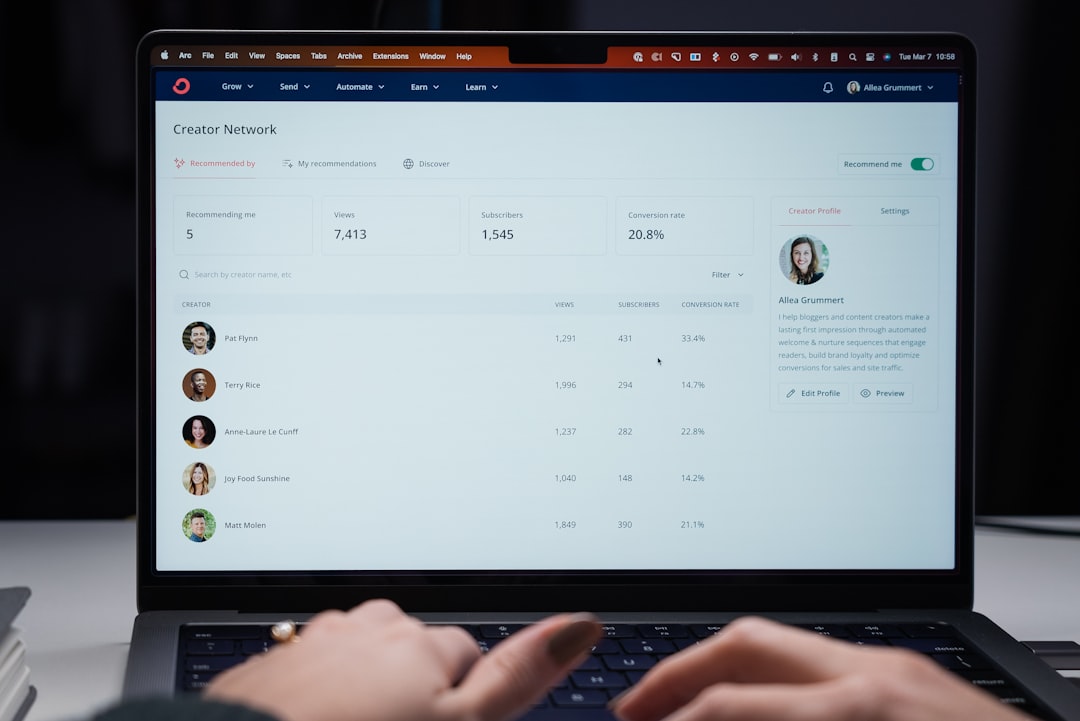
User feedback on Sidekick was often positive because the product addressed a real problem in a simple way. Many users appreciated that it did not require extensive training and could begin producing value quickly.
Commonly praised advantages included:
- Ease of use: Users found the interface straightforward and accessible.
- Immediate visibility: Open and click notifications provided quick insight into recipient engagement.
- Better follow-up timing: Sales professionals could respond when prospects appeared active.
- Reduced guesswork: Users no longer had to rely entirely on assumptions about whether emails were being read.
- Integration with daily email habits: The tool fit naturally into existing workflows.
For individual users and small teams, the simplicity was one of Sidekick’s greatest strengths. It did not feel like a heavy enterprise system. Instead, it acted as a practical layer on top of email.
User Feedback: Common Criticisms
Despite its strengths, Sidekick was not without criticism. Some users found that notifications could become distracting, especially when tracking many emails. A constant stream of open alerts may create urgency, but it can also interrupt focused work.
Another common limitation was that email tracking data could be misunderstood. An open notification does not always mean the recipient carefully read the message. Opens can be affected by email clients, preview panes, forwarding, security software, and image-loading settings. Serious users needed to treat the data as directional rather than absolute.
Reported drawbacks often included:
- Notification overload: Frequent alerts could distract users from higher-value tasks.
- Limited context: Opens and clicks were helpful, but they did not explain intent by themselves.
- Dependence on email behavior: The tool was most useful for users whose sales process relied heavily on email.
- Privacy considerations: Some recipients and organizations are sensitive to tracking technologies.
- Need for broader HubSpot adoption: Advanced value often depended on connecting with HubSpot CRM and related tools.
These criticisms do not make Sidekick ineffective, but they show why it worked best as part of a disciplined sales process rather than as a standalone solution to every productivity challenge.
Trust and Privacy Considerations
A serious review of Sidekick must address email tracking ethics. Tracking opens and clicks can be legitimate in sales and customer communication, but it should be handled responsibly. Businesses should consider their legal obligations, internal policies, and customer expectations before using any tracking technology.
In regions with strict privacy standards, companies may need to disclose tracking practices or obtain appropriate consent depending on the use case. Even where tracking is legally permitted, trust remains important. Sales teams should avoid using tracking data in a way that feels intrusive, such as telling a prospect, “I saw you opened my email five times.” A more professional approach is to use the signal quietly to guide timing and relevance.
The most trustworthy teams treat tracking as one input among many. They combine it with conversation history, CRM data, buyer needs, and respectful follow-up practices.
Sidekick Compared With Modern Productivity Tools
Today, many of Sidekick’s original features are available in modern sales engagement platforms, CRM systems, and even mainstream email tools. Email scheduling, templates, read receipts, automated sequences, and contact enrichment are more common than they were when Sidekick became popular.
However, Sidekick’s significance lies in how effectively it packaged these capabilities for everyday users. It helped set expectations for what inbox productivity tools should provide: visibility, speed, context, and integration. In that sense, even if the Sidekick brand is no longer central, its influence remains visible in HubSpot Sales Hub and competing tools.
Who Benefited Most From Sidekick?
Sidekick was especially useful for professionals who relied on one-to-one email communication and needed better follow-up discipline. It was less suitable for users seeking complex automation, deep reporting, or enterprise-level sales operations as a standalone product.
The best-fit users included:
- Sales representatives managing active prospect conversations
- Startup founders doing direct outreach
- Consultants sending proposals and follow-ups
- Account managers monitoring client engagement
- Recruiters communicating with candidates
- Small business teams wanting simple email visibility
For these users, the productivity gain came from making follow-up more intentional. Rather than relying on memory or guesswork, they could respond based on observable engagement.
Practical Lessons From User Experience
The history of Sidekick offers several useful lessons for anyone choosing a sales productivity tool today. First, simplicity matters. A tool that fits naturally into daily work is more likely to be adopted than one that requires major behavioral change.
Second, data is only valuable when users know how to interpret it. Email opens and clicks are helpful signals, but they should not replace sound judgment. Third, productivity tools are most effective when connected to a larger process. Tracking alone does not create better sales outcomes; consistent follow-up, relevant messaging, and accurate CRM records are equally important.
Finally, user trust matters. Teams should use engagement data to become more helpful and timely, not more aggressive. The best sales productivity tools improve communication quality rather than simply increasing message volume.
Final Verdict
Sidekick by HubSpot earned its reputation by making email productivity more visible and actionable. Its strengths were clear: simple tracking, useful notifications, contact insights, scheduling, and practical support for follow-up timing. For many users, these features reduced uncertainty and helped them manage sales conversations with greater discipline.
At the same time, Sidekick had limitations. Notifications could distract, tracking data could be overinterpreted, and the most advanced value often required deeper use of HubSpot’s CRM ecosystem. Privacy and professionalism also needed careful attention.
Overall, Sidekick was a strong productivity tool for its time and an important step in the evolution of sales email software. Its legacy continues in modern HubSpot sales tools and in the broader expectation that business email should be measurable, contextual, and connected to customer relationships. For users evaluating similar tools today, the main takeaway is clear: the best productivity software is not just the one that tracks activity, but the one that helps teams communicate more thoughtfully, prioritize better, and follow up with purpose.