
Use SMS keywords when you want the fastest possible opt-in, and use QR codes when the signup needs more context, branding, or form fields. Both can grow a text marketing list, but they solve different problems. That matters because mobile reach is huge: 97% of U.S. adults own a cellphone [source: Pew Research Center]. The real question is not whether people can sign up. It is how much friction you put between their interest and the opt-in.
TLDR: A text-to-join campaign asks people to text a keyword like PIZZA to a short code or phone number, then confirm they want messages. A QR code signup sends people to a mobile form, landing page, coupon page, or app screen. For example, a gym could place “Text FIT to 55555” at the front desk and collect 180 opt-ins in a week, while a QR code on a flyer might collect 95 opt-ins but also capture names, goals, and preferred class times. Use keywords for speed; use QR codes for richer data.
What is an SMS keyword?
An SMS keyword is a short word or phrase that starts a text subscription flow. A customer texts the keyword to a designated number. The system replies with an automated message. That reply usually confirms consent, shares an incentive, or asks for a second step.
For example:
- Customer sees: “Text VIP to 44444 for 15% off.”
- Customer sends: “VIP”
- Brand replies: “You’re in. Reply YES to receive weekly deals. Msg and data rates may apply.”
- Customer replies: “YES”
- Brand sends: “Thanks for joining. Show this code at checkout: VIP15.”
The keyword acts like a doorway. It tells your SMS platform which campaign, list, offer, or automation should run. One account can have many keywords at once. A restaurant might use LUNCH, HAPPYHOUR, and CATERING. Each one can trigger a different message path.
How text-to-join campaigns work
A text-to-join campaign is the simplest SMS signup method. You display a call to action in a place people already look: a poster, receipt, storefront sign, event banner, podcast ad, menu, or social post. The customer texts the keyword. Done.
This works well because it matches natural phone behavior. No camera. No page load. No typing an email address with one hand while holding coffee in the other. Honestly, it feels like some signup forms were designed by people who have never stood in a checkout line. Text-to-join skips that mess.
Strong text-to-join prompts include four pieces:
- The keyword: Make it short, clear, and easy to spell.
- The number: This can be a short code, toll-free number, or local number.
- The reward: Say what they get, such as a coupon, early access, or alerts.
- The consent language: Tell people they are signing up for recurring texts.
A good example: Text TACOS to 313131 for weekly specials and a free chips coupon. Reply STOP to cancel.
What is a QR code signup?
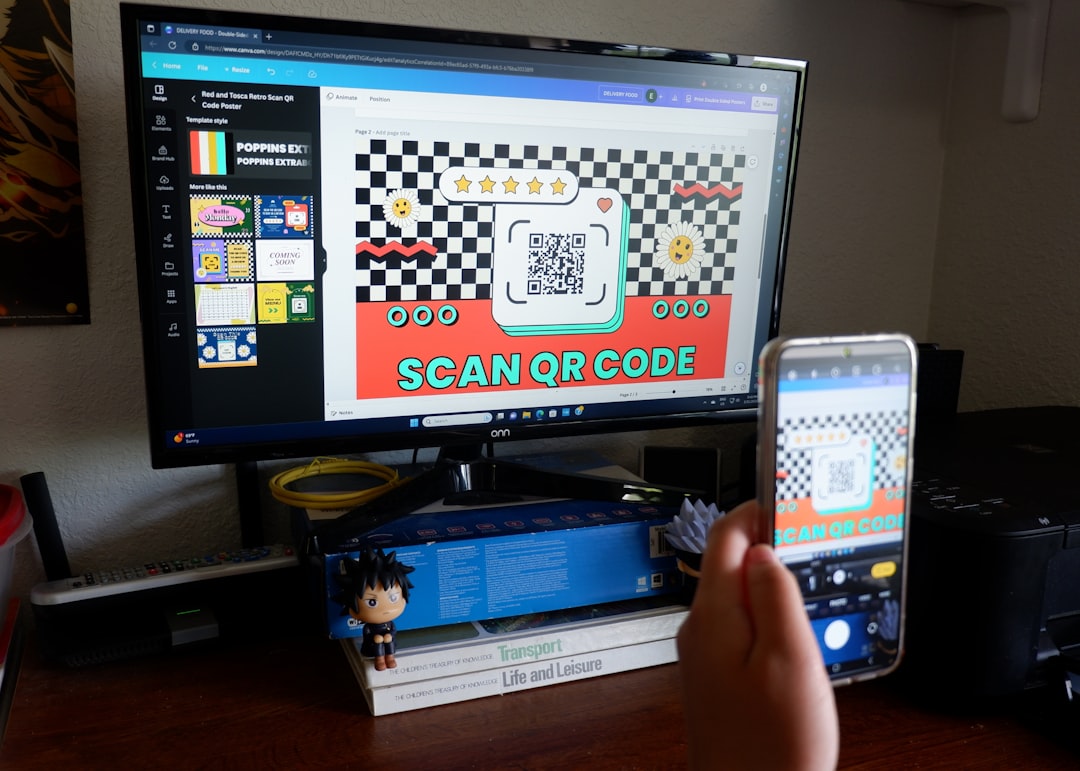
A QR code signup sends users to a web page after they scan the code with their phone camera. That page might contain a form, promotion, product guide, loyalty club page, or SMS opt-in checkbox.
QR codes shine when the signup needs more than a phone number. You can ask for a birthday, ZIP code, email address, interests, store location, or product preference. You can also show visuals, reviews, terms, or a larger offer.
The catch is that QR signups depend on more steps. The user must scan, wait for the page, trust the page, fill out the form, and submit it. If the page takes three extra seconds to load on weak store Wi-Fi, expect drop-off. That tiny delay can feel much bigger when someone is already busy.
Text-to-join vs QR codes: the real differences
Both methods can feed the same SMS list. The difference is the signup experience.
- Speed: Text-to-join is usually faster. The user sends one word.
- Data collection: QR codes collect more details through form fields.
- Tracking: QR codes can track scans, traffic sources, and page behavior.
- Reliability: Text-to-join works even when mobile data is poor, as long as texting works.
- Branding: QR signup pages can show images, logos, videos, and longer copy.
- Accessibility: Keywords are easier to say out loud on radio, stage, or podcasts.
A keyword is better for an impulse signup. A QR code is better for a guided signup. Neither one is “best” all the time.
When to use SMS keywords
Use SMS keywords when your audience is already interested and the moment is short. These campaigns are great for:
- Events: “Text WIN to enter the raffle.”
- Restaurants: “Text BURGER for today’s deal.”
- Retail stores: “Text SALE for early access.”
- Nonprofits: “Text GIVE for donation updates.”
- Gyms and studios: “Text TRIAL for a free class.”
- Real estate: “Text HOME for listing alerts.”
Keywords also work well on audio channels. You cannot scan a QR code from a radio ad. You can remember “Text ROOF to 88888.” Short, spoken keywords win there.
When to use QR code signups
Use QR codes when the offer needs explanation or when segmentation matters. They are useful for:
- Product packaging: Register a warranty and join SMS updates.
- Trade shows: Capture job title, company, and buying interest.
- Healthcare offices: Send patients to appointment reminder preferences.
- Tourism: Let visitors choose alerts for food, tours, or local deals.
- Education: Collect parent, student, and program details.
QR codes also help when consent language needs more space. Form pages can clearly show message frequency, privacy notes, and terms. In the U.S., SMS marketing consent is regulated, and businesses should understand requirements around autodialed or promotional texts [source: FCC].
Best keyword practices that protect conversions
Bad keywords create avoidable failures. Keep them simple. Avoid words that sound alike or are easy to misspell. JOIN, DEALS, VIP, and SAVE are safe. PHOENIX2025VIPCLUB is asking for trouble.
Follow these rules:
- Use one clear word when possible.
- Avoid special characters because people may enter them wrong.
- Match the keyword to the offer so reporting makes sense later.
- Test the flow before printing signs or packaging.
- Include STOP instructions in confirmation messages.
- Keep records of consent, source, time, and message sent.
If you run multiple locations, assign each location its own keyword or QR code. A coffee chain might use BEANSNYC, BEANSLA, and BEANSCHI. That makes local reporting cleaner.

How to combine keywords and QR codes
You do not have to choose only one. The strongest campaigns often use both. Put the keyword in large text. Place the QR code beside it. This gives users a choice.
Example sign copy:
Join our VIP list for 20% off today.
Text VIP to 55555 or scan the code to sign up.
This setup catches two types of users. Some people prefer texting. Others prefer scanning. It also gives you a backup if the QR code fails to scan under glare, from a distance, or on a wrinkled flyer.
Which one converts better?
There is no universal winner. Text-to-join often wins on raw opt-ins because it is quick. QR codes often win on profile quality because forms can collect more context.
A simple test can settle it. Print two versions of the same offer. Use a unique keyword on one and a unique QR code on the other. Run them for two weeks. Compare:
- Signup rate
- Coupon redemption
- Cost per subscriber
- Unsubscribe rate
- Revenue per subscriber
Do not judge only by list size. A QR code that brings in 400 subscribers with purchase intent may beat a keyword that brings in 700 coupon hunters who never buy again.
The smart way to choose
Pick text-to-join when speed, simplicity, and low friction matter most. Pick QR code signups when education, branding, tracking, and extra fields matter more. If the campaign lives on a poster, receipt, stage slide, or checkout sign, include both.
The best signup path is the one your customer can finish in under ten seconds without confusion. If they have to pinch, zoom, wait, or guess what to do next, you are losing people. Keep the call to action clear. Keep the reward obvious. Then measure which path brings subscribers who actually respond, buy, and stay subscribed.