
Tracking pixels are tiny, often invisible pieces of code that help organizations understand what people do across websites, emails, ads, and apps. They can measure conversions, build audiences, personalize experiences, and prove campaign performance. But because tracking technologies collect behavioral data, they also create privacy, security, compliance, and operational risks when they are not properly managed. A tracking pixel audit is the process of discovering, documenting, evaluating, and controlling these technologies so that your digital ecosystem remains transparent, compliant, and trustworthy.
TLDR: A tracking pixel audit helps you identify every pixel, tag, script, cookie, and related tracking technology running across your digital properties. It allows you to determine what data is collected, where it is sent, whether user consent is required, and whether each technology still serves a legitimate business purpose. Regular audits reduce privacy risk, improve site performance, and help maintain compliance with laws such as GDPR, CCPA, and other data protection regulations.
What Is a Tracking Pixel?
A tracking pixel is typically a small snippet of code or a 1×1 transparent image embedded in a web page, email, advertisement, or app. When a user loads the page or opens the email, the pixel sends a request to a server. That request may include information such as the user’s device type, IP address, browser, page URL, timestamp, referral source, or actions taken on the site.
In modern marketing and analytics, the term “tracking pixel” is often used broadly. It may refer not only to image pixels, but also to JavaScript tags, analytics scripts, advertising beacons, conversion tags, retargeting scripts, cookie-setting technologies, SDKs, and server-side tracking events. These tools are widely used by platforms such as analytics providers, advertising networks, affiliate systems, email platforms, customer data platforms, and social media platforms.
Tracking technologies are not inherently bad. In fact, they can be extremely useful. They help marketers know which campaigns work, product teams understand user behavior, and businesses improve customer journeys. The problem arises when these technologies are added without documentation, continue running after they are no longer needed, collect excessive data, or operate without proper user consent.
Why Tracking Pixel Audits Matter
Many organizations add pixels over time for campaigns, experiments, analytics, partnerships, and product launches. A marketing manager may install a conversion tag for a short campaign. An agency may add a retargeting pixel. A product team may test heatmap software. Months later, nobody remembers why the technology was added, who owns it, or whether it is still active. This creates what is sometimes called tag creep.
Unchecked tag creep can cause several issues:
- Privacy risk: Pixels may collect personal data or share data with third parties without proper notice or consent.
- Regulatory exposure: Data protection laws may require transparency, consent, opt-out rights, vendor contracts, and data minimization.
- Security concerns: Third-party scripts can introduce vulnerabilities or send data to unknown destinations.
- Performance problems: Too many pixels can slow page load times and harm user experience.
- Data quality issues: Duplicate or outdated pixels can distort analytics and conversion reporting.
- Reputational damage: Users may lose trust if they discover unexpected or invasive tracking.
A tracking pixel audit gives you a clear inventory and control framework. Instead of guessing what is running on your site, you can make informed decisions about what should stay, what should be modified, and what should be removed.

Common Tracking Technologies to Look For
A good audit should look beyond obvious marketing pixels. Tracking can happen in many forms, and some technologies are hidden within tag managers, embedded widgets, or third-party tools. During your audit, look for the following categories:
- Analytics tags: Tools that measure page views, events, sessions, traffic sources, and user journeys.
- Advertising pixels: Scripts used for conversion tracking, audience building, retargeting, and campaign optimization.
- Social media pixels: Tags that connect website behavior to social media advertising platforms.
- Email tracking pixels: Invisible images that measure email opens, device information, and recipient engagement.
- Affiliate and partner pixels: Tracking used to attribute sales or leads to external partners.
- Heatmap and session replay tools: Technologies that record clicks, scrolling, form interactions, or even user sessions.
- Chat widgets and support tools: Embedded services that may collect user identifiers, messages, behavior, and page context.
- Customer data platforms: Systems that gather and route user events to multiple destinations.
- Consent management platforms: Tools that control whether certain tracking technologies fire based on user preferences.
- Server-side tracking: Events sent from your servers to third-party platforms, often harder to detect through browser inspection alone.
Step 1: Define the Scope of the Audit
Before you begin, decide what digital properties and technologies are included. A narrow audit may focus only on your main website. A broader audit may include landing pages, mobile apps, email campaigns, subdomains, checkout flows, customer portals, embedded forms, and server-side event pipelines.
It is also important to define your audit objectives. Are you primarily focused on privacy compliance? Site speed? Vendor management? Data accuracy? Security? The answer will affect how deeply you investigate each technology.
Your scope should include:
- Websites and subdomains where tags may be installed.
- Tag management systems such as container-based platforms.
- Marketing landing pages created outside the main content management system.
- Email templates that may contain open tracking or click tracking.
- Mobile apps that use SDKs or analytics libraries.
- Backend integrations that transmit behavioral or conversion data.
Step 2: Discover All Active Pixels and Tags
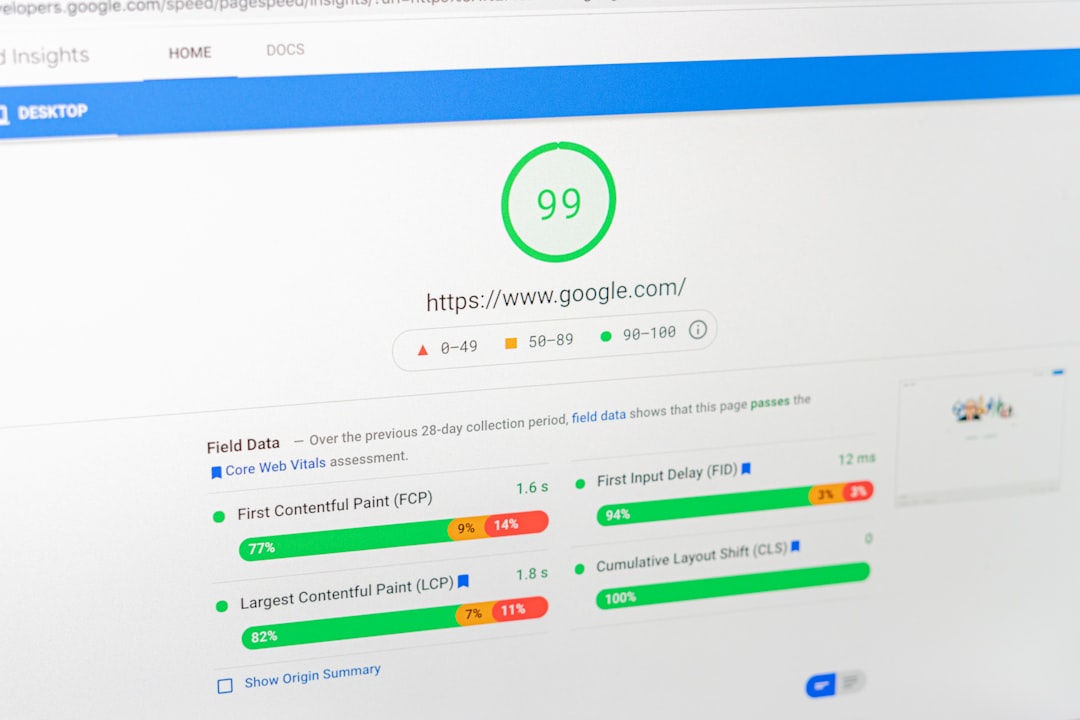
The discovery phase is where you identify what is actually running. This should combine automated scanning with manual review. Automated scanners can crawl your website and detect scripts, cookies, network requests, and vendors. However, they may miss tags that fire only after specific actions, such as adding a product to a cart, submitting a form, logging in, or accepting cookies.
Manual browser testing is especially useful. Open developer tools, review the Network tab, inspect scripts, and watch what happens as you interact with the site. Test different consent choices, pages, devices, browsers, and geographic regions if your consent rules vary by location.
Useful discovery methods include:
- Website crawling: Scan pages for third-party scripts, pixels, cookies, and iframe embeds.
- Tag manager review: Export all tags, triggers, variables, templates, and permissions.
- Network request inspection: Identify where data is sent when pages load or events occur.
- Cookie analysis: Review cookie names, domains, expiration periods, and purposes.
- Consent testing: Confirm that non-essential tags do not fire before valid consent.
- Documentation review: Compare findings against existing privacy notices and vendor lists.
Step 3: Build a Tracking Technology Inventory
Once you identify active technologies, record them in a structured inventory. This inventory becomes the foundation for governance and ongoing monitoring. It should be understandable to marketing, legal, security, analytics, and engineering teams.
For each pixel or tag, document:
- Name of the technology and vendor.
- Owner inside your organization.
- Business purpose for using it.
- Pages or events where it fires.
- Data collected, including identifiers, IP addresses, email hashes, device data, or behavioral events.
- Data destination and whether data is shared with third parties.
- Cookie or storage behavior, including expiration dates.
- Consent category, such as strictly necessary, analytics, personalization, or advertising.
- Legal basis or consent requirement.
- Contract status, including data processing agreements where applicable.
- Retention period and deletion controls.
- Performance impact on page speed.
The inventory should not be a one-time spreadsheet that disappears after the audit. Treat it as a living record. Every new tag should be reviewed, approved, categorized, and added before deployment.
Step 4: Evaluate Data Collection and Consent
One of the most important parts of a tracking pixel audit is understanding what data is collected and whether the collection is appropriate. Under many privacy frameworks, personal data can include obvious identifiers such as names and email addresses, but also online identifiers such as cookies, mobile IDs, IP addresses, and device fingerprints.
Ask practical questions:
- Does this pixel collect personal data or pseudonymous identifiers?
- Is the data necessary for the stated business purpose?
- Is the user clearly informed through a privacy notice or cookie banner?
- Does the pixel fire before consent when consent is required?
- Can users opt out or withdraw consent easily?
- Is sensitive data being collected accidentally, such as form inputs, health information, financial details, or account data?
Pay special attention to pages that contain sensitive information. Checkout pages, patient portals, insurance forms, loan applications, support tickets, and authenticated user dashboards require extra scrutiny. Even if your organization does not intend to share sensitive data, a poorly configured pixel may capture URL parameters, button labels, form metadata, or event names that reveal more than expected.
Step 5: Review Vendors and Data Sharing
Every third-party pixel represents a vendor relationship. If a script sends data to an external platform, you should understand how that vendor uses the data. Some vendors act as service providers or processors, using data only on your behalf. Others may use data for their own purposes, such as ad targeting, measurement, product improvement, or cross-site profiling.
Vendor review should include:
- Privacy policy and terms: Do they clearly explain data use?
- Data processing agreement: Is there a contract governing personal data?
- International transfers: Is data sent to other countries?
- Subprocessors: Does the vendor rely on additional third parties?
- Security posture: Are appropriate safeguards in place?
- Opt-out support: Can user preferences be honored?
This is where collaboration matters. Marketing may know why the pixel exists, legal may assess contractual obligations, security may evaluate risk, and engineering may understand technical behavior. A good audit brings these perspectives together.
Step 6: Remove, Consolidate, or Reconfigure
After discovery and evaluation, take action. Not every pixel deserves to remain. If a tag has no clear owner, no current business purpose, or questionable compliance status, it should be removed or disabled until reviewed.
Common remediation actions include:
- Remove obsolete tags from old campaigns or unused tools.
- Block non-essential pixels until the user gives valid consent.
- Limit data fields sent to third parties.
- Mask or suppress sensitive information in URLs, events, and form fields.
- Consolidate duplicate tools that perform the same function.
- Adjust cookie expiration to align with policy and legal requirements.
- Update privacy notices, cookie tables, and vendor disclosures.
- Improve tag triggers so pixels fire only where needed.
Removing pixels can also improve performance. Third-party scripts may slow rendering, increase network calls, or create dependencies on external servers. A leaner tracking setup often means faster pages, better search performance, and a smoother user experience.

Step 7: Create a Governance Process
A tracking pixel audit is valuable, but its benefits fade if new tags can be added without oversight. Strong governance ensures that tracking remains controlled over time.
Consider establishing a simple approval workflow. Before a new pixel is deployed, the requester should explain the purpose, data collected, vendor involved, pages affected, consent requirements, and duration of use. Legal, privacy, analytics, and security teams can review higher-risk technologies before launch.
Governance best practices include:
- Maintain a central tag inventory that is updated continuously.
- Assign owners for every pixel and vendor.
- Use role-based access in tag management systems.
- Require approval before publishing new tags.
- Set expiration dates for campaign-specific pixels.
- Monitor changes to detect unauthorized or unexpected scripts.
- Run periodic audits at least annually, or more often for high-traffic sites.
Signs Your Tracking Setup Needs an Audit
If you are unsure whether an audit is necessary, look for warning signs. You may need a tracking pixel audit if your website has been through multiple agencies, redesigns, analytics migrations, or marketing experiments. You may also need one if your cookie banner does not match the cookies actually present on the site, or if your privacy notice lists vendors that nobody can verify.
Other red flags include:
- Pixels firing before consent is given.
- Unknown third-party domains appearing in network requests.
- Duplicate conversion events in ad platforms.
- Slow page loads caused by excessive scripts.
- Old campaign tags still active months or years later.
- Data being sent from sensitive pages to advertising platforms.
- No clear internal owner for tag management.
Final Thoughts
Tracking pixels sit at the intersection of marketing, analytics, privacy, security, and user trust. They can provide valuable insight, but only when they are managed deliberately. Without regular audits, organizations can quickly lose control of what data is collected, who receives it, and whether users have meaningful choices.
A successful tracking pixel audit does more than clean up code. It creates visibility, accountability, and discipline. By discovering all tracking technologies, documenting their purposes, validating consent behavior, reviewing vendors, and removing unnecessary tags, you build a healthier digital environment. In a world where users are increasingly aware of how their data is used, responsible tracking is not just a compliance task; it is a competitive advantage built on transparency and trust.